Featured Posts
March 2026 Updates: Email Copilot, Security Filter, and New Integrations
March 4th, 2026 by ChatLab Team
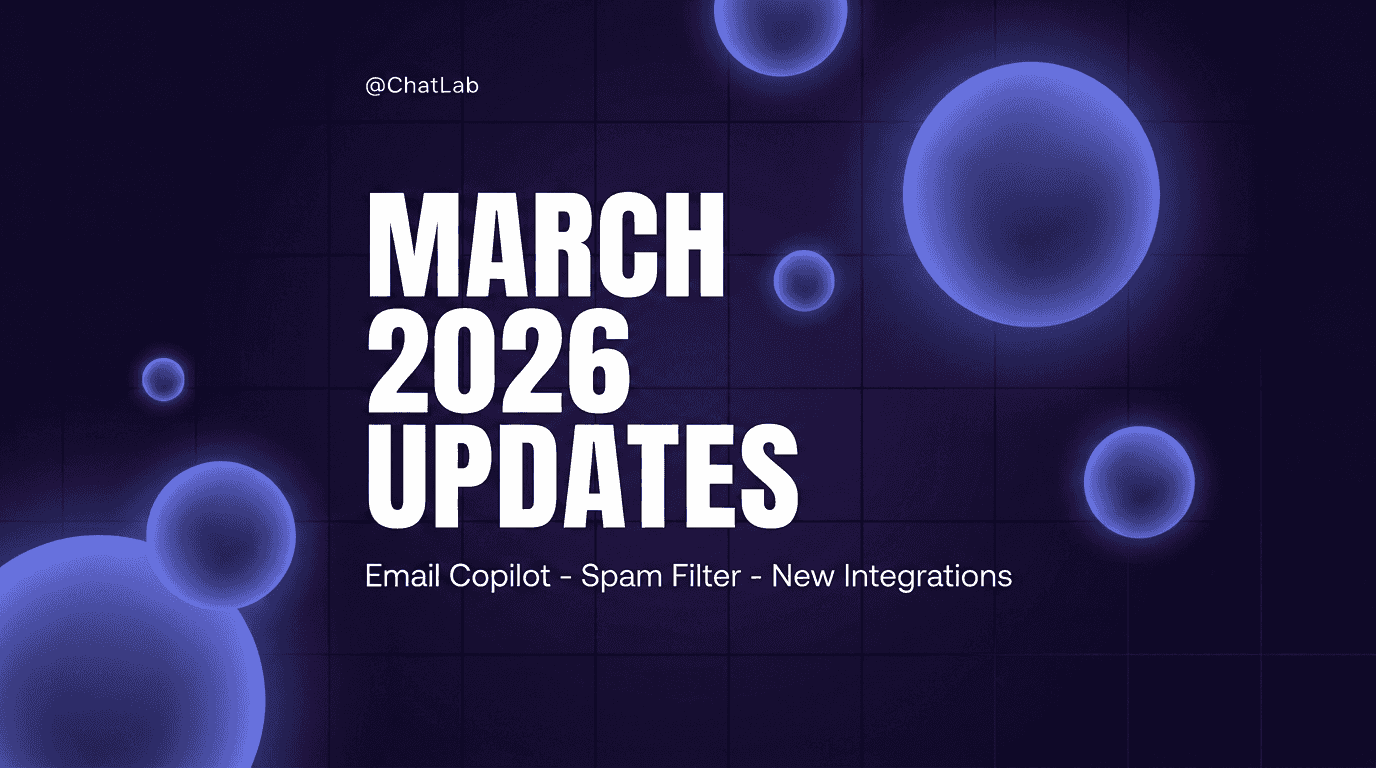
MARCH 2026 UPDATES
It's been three months since our last update, and the team has been busy. This release brings a major new capability—managing your business email directly from the ChatLab dashboard with AI assistance—alongside stronger security tools, new e-commerce integrations, and improvements for agency partners.
Email Copilot 🔥🔥🔥
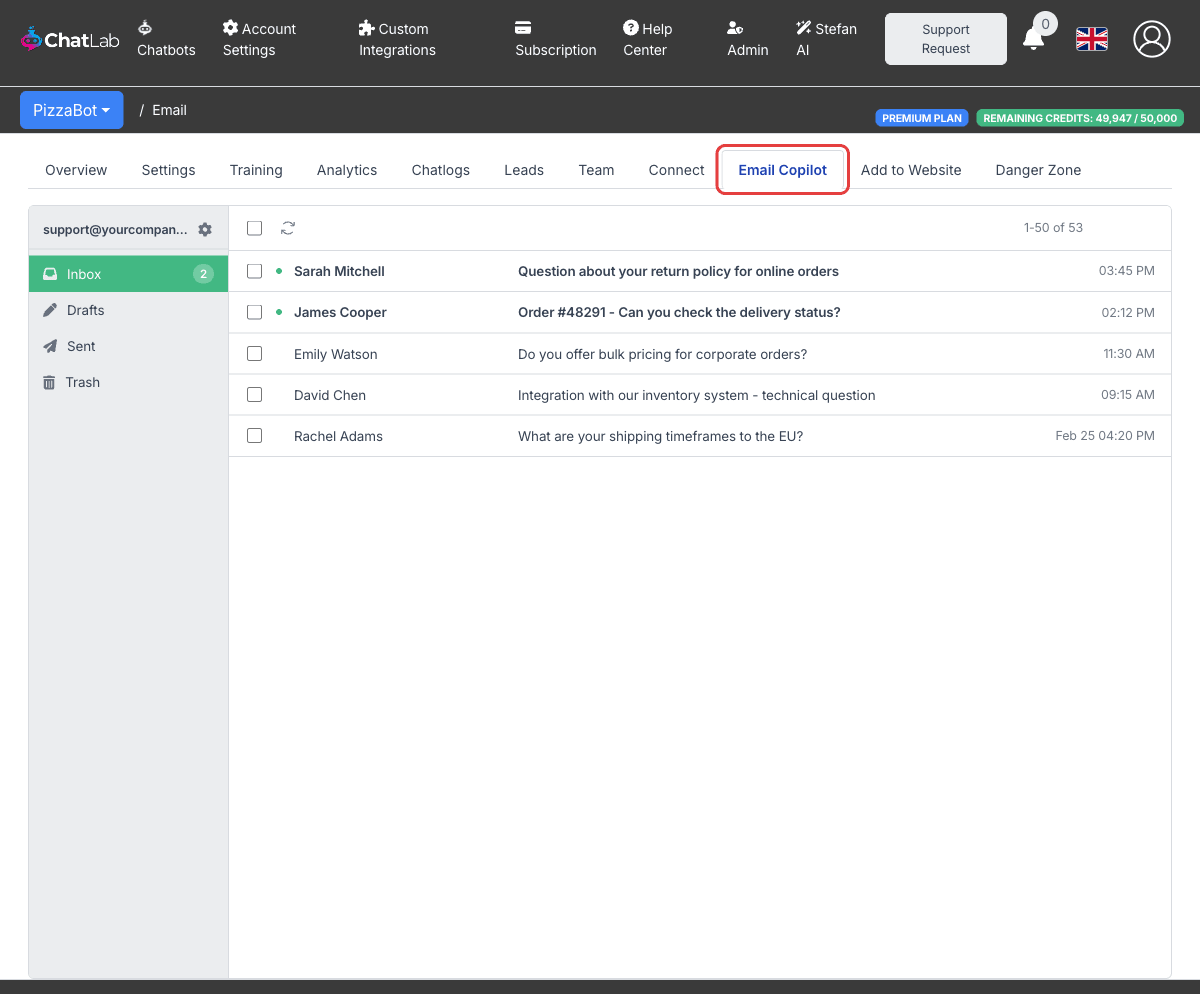
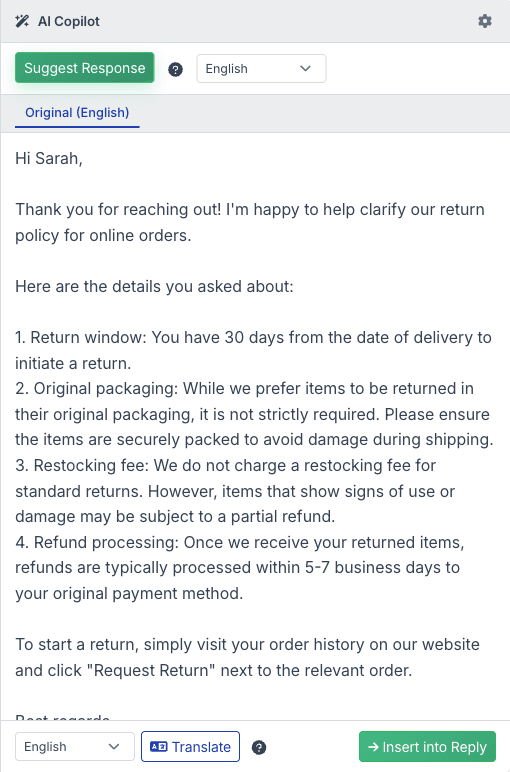
A full email inbox built right into your ChatLab admin panel. Connect your business email via IMAP or POP3 (with 28 pre-configured provider presets), then read, compose, reply, forward, and manage attachments—all without leaving the dashboard. The AI Copilot suggests complete responses based on your bot's knowledge base, and can translate emails into any language with one click. (Select Bot > Email Copilot)
Spam & Security Filter 🔥🔥
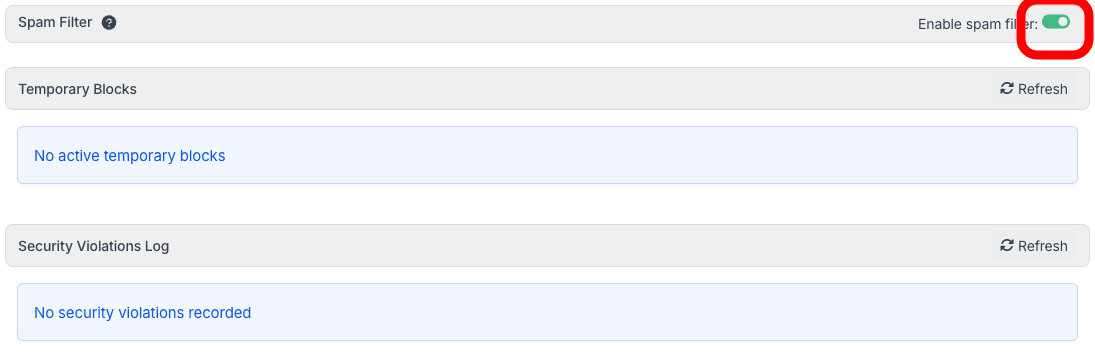
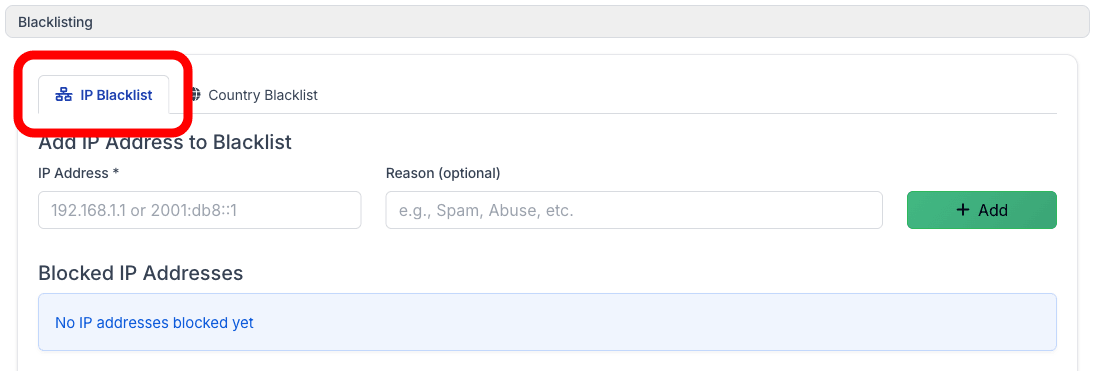
Protect your chatbot from abuse with built-in spam detection that automatically identifies and blocks malicious conversations. View security violations, manage temporary blocks, configure IP and country blacklists, and set custom rate limits—all from a dedicated Security tab. (Select Bot > Settings > Security)
The Spam Filter uses automatic rules to detect and block abusive users—no manual setup needed.
Blacklisting gives you manual control to block specific IP addresses or entire countries.
Agency Portal User Management 🔥
Agency owners can now create and invite users directly to their white-label portal. Auto-generate passwords, copy credentials to clipboard, and send customizable email invitations. You can also disable self-registration to control exactly who joins your platform. (Admin > Users)
Copy Chatbot
Duplicate any existing chatbot with all its settings, training data, and configurations in one click. Perfect for creating variants for different departments or testing changes without affecting your live bot. (Select Bot > Bot Overview)
Shoper E-commerce Integration
Native integration with the Shoper platform. Connect your product catalog so your chatbot can search products and help customers find what they need. (Select Bot > Connect > Shoper)
IdoBooking Integration
Apartment and accommodation booking system integration with real-time availability checking and reservation creation. Ideal for holiday rental businesses looking to automate guest inquiries. (Select Bot > Connect > IdoBooking)
Gemini 3 Pro Preview Support
Google's latest Gemini 3 Pro Preview model is now available for selection, giving you another powerful AI option for your chatbot conversations. (Select Bot > Settings > Model & Advanced)
Conversation Rating on Last Message
Rating thumbs-up/down buttons now appear directly on the last bot message instead of in the header, making it more natural for visitors to leave feedback right where the conversation ends. (Chat Widget)
Multiple Lead Notification Emails
Send lead notifications to multiple team members by entering a comma-separated list of email addresses. No more forwarding—everyone who needs to see new leads gets notified instantly. (Select Bot > Settings > Lead Collection)
Shopify AI Actions Upgrade
Enhanced Shopify integration with improved AI action settings for better product search, order tracking, and inventory management during conversations. (Select Bot > Connect > Shopify)
Freshdesk Integration Improvements
Better handling of nested fields, improved email validation, and cache refresh capabilities for smoother Freshdesk ticket management. (Select Bot > Connect > Freshdesk)
JS API Callbacks and iFrame Support
The JavaScript API now exposes callbacks for all widget actions and supports embedding in iFrame context, giving developers more control over widget behavior on their websites.
Happy chatting!