There are three places to check your subscription usage in ChatLab.
Header bar (real-time credits)
The header bar at the top of every page displays your current plan and remaining message credits:

This shows your subscription plan (e.g. PREMIUM PLAN) and the number of remaining credits out of your total monthly allowance.
The remaining credits counter updates automatically in real time after each message - there is no need to refresh the page. Whenever your chatbot sends or receives a message, the counter adjusts immediately.
Dashboard (main screen)
The main Chatbots page shows a Subscription panel on the right side with your overall usage:
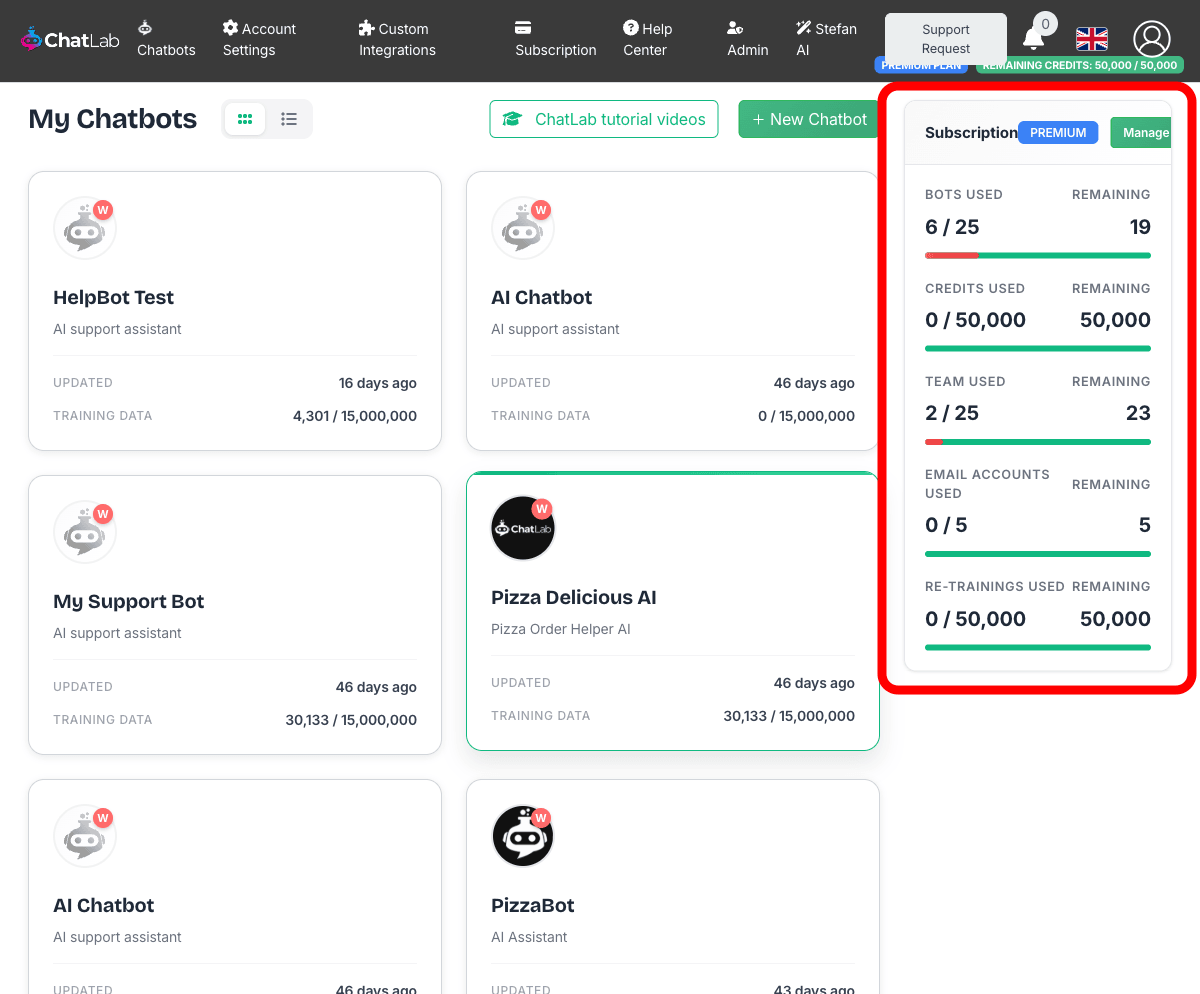
The panel displays:
- Bots Used - number of chatbots created vs. your plan limit
- Credits Used - message credits consumed this month vs. monthly allowance
- Team Used - team members invited vs. plan limit
- Email Accounts Used - connected email accounts vs. plan limit
- Re-trainings Used - scheduled retraining jobs used vs. limit
Training page (per chatbot)
Each chatbot's Training tab shows a Limits panel with training-specific usage:
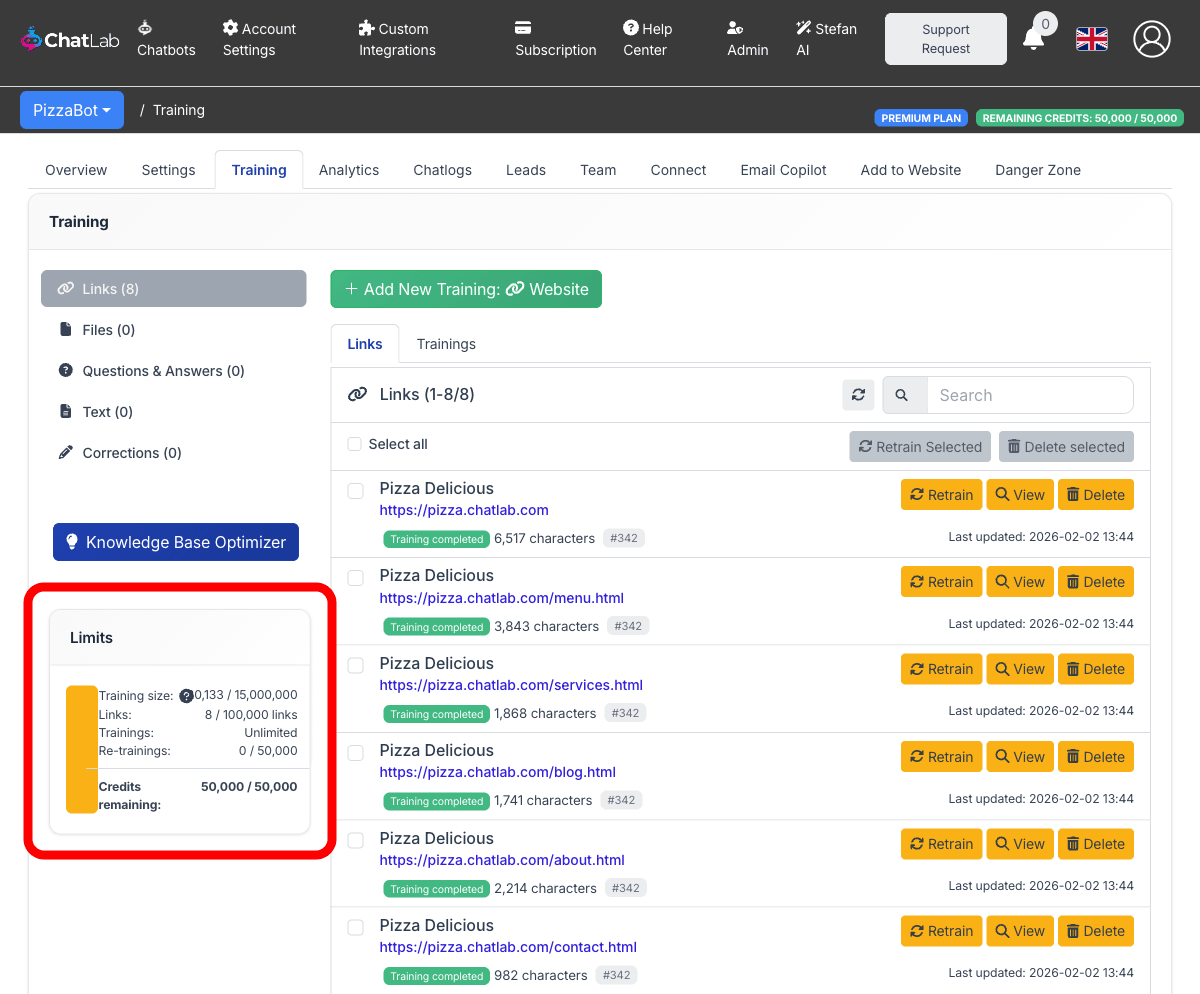
This panel shows:
- Training size - characters of training data used vs. plan limit
- Links - number of website URLs trained vs. limit
- Trainings - training operations (unlimited on most plans)
- Re-trainings - scheduled automatic retraining count
- Credits remaining - message credits left for this month
Note: Message credits reset at the beginning of each calendar month.