Re-training lets you refresh your chatbot's knowledge by re-reading website URLs and updating the training data whenever the source content changes.
How Re-training Works
When you retrain a page, the system:
- Re-scrapes the URL to fetch the latest content
- Compares the new content with the existing training data
- Skips the page if nothing has changed
- Updates the training data and regenerates embeddings if changes are detected
Retraining a Single Link
Navigate to Training > Links and click the Retrain button next to the link you want to update.

This opens the re-train dialog where you can retrain immediately or set up a schedule.
Retraining Multiple Links at Once
Select the checkboxes next to the links you want to retrain (or use Select all), then click Retrain Selected in the header.

The schedule you configure will apply to all selected links.
Retraining an Entire Website Training
You can also retrain all links from a website training at once. Navigate to Training > Links, switch to the Trainings tab, and click Retrain on the training card.

This re-scrapes the entire website, updates existing pages, and adds any newly discovered pages to the training data.
The Re-train Dialog
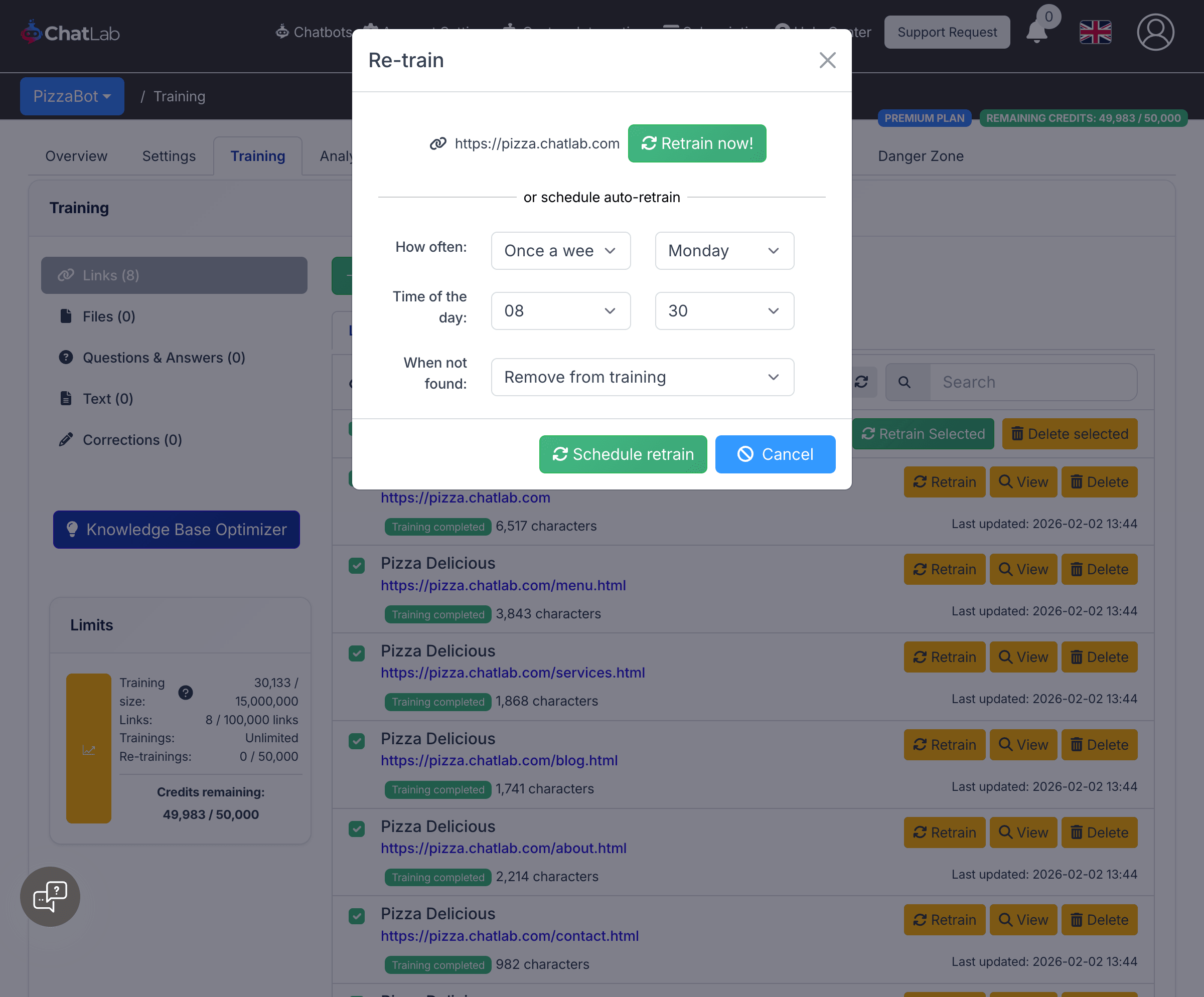
The dialog provides the following options:
-
Retrain now -- runs the retrain immediately
-
Schedule auto-retrain -- sets up recurring automatic retrains:
- Every day -- select the time of day
- Once a week -- select the day and time
- Once a month -- select the day and time
-
When not found -- controls what happens if a page no longer exists:
- Remove from training -- deletes the page from the chatbot's knowledge base
- Ignore - leave the current page -- keeps the existing content in the knowledge base
After configuring, click Schedule retrain to save the schedule, or Cancel to close without changes.
Canceling a Scheduled Retrain
If a link already has a scheduled retrain, the re-train dialog shows a Cancel existing schedule button. Click it to remove the scheduled retrain while keeping the training data intact.
Re-training Limits
Each URL scraped during an automatic scheduled retrain counts as one re-training operation. Your subscription includes a monthly re-training allowance of up to 50,000 automatic retrains (visible in the sidebar under Limits > Re-trainings). Manual immediate retrains do not count toward this limit.
If you need more capacity, you can purchase additional retrain packages.