Markdown is a lightweight formatting syntax that adds structure to plain text. When you provide training data with Markdown, the AI can better understand sections, hierarchies, and references in your content -- and it will use that structure when responding to users.
How Markdown works in ChatLab
Markdown is used in two ways depending on the training source:
- Website sources -- Markdown is applied automatically. When ChatLab scans a website, it converts the HTML into Markdown format, preserving headings, lists, links, and page structure.
- Text and Q&A sources -- You write Markdown manually. The text fields accept raw Markdown syntax, which is stored as-is and used during training.
In both cases, the structured data helps the AI recognize sections, distinguish key information, and include relevant links in its answers.
Markdown in website sources
When training from websites (Training > Links), ChatLab automatically converts the page content to a text format that preserves links. External links are stored using Markdown link syntax, so the AI can reference them in responses.
To view how a scanned page is stored, click the View button next to any trained link. The preview shows the stored content, including any Markdown-formatted links.
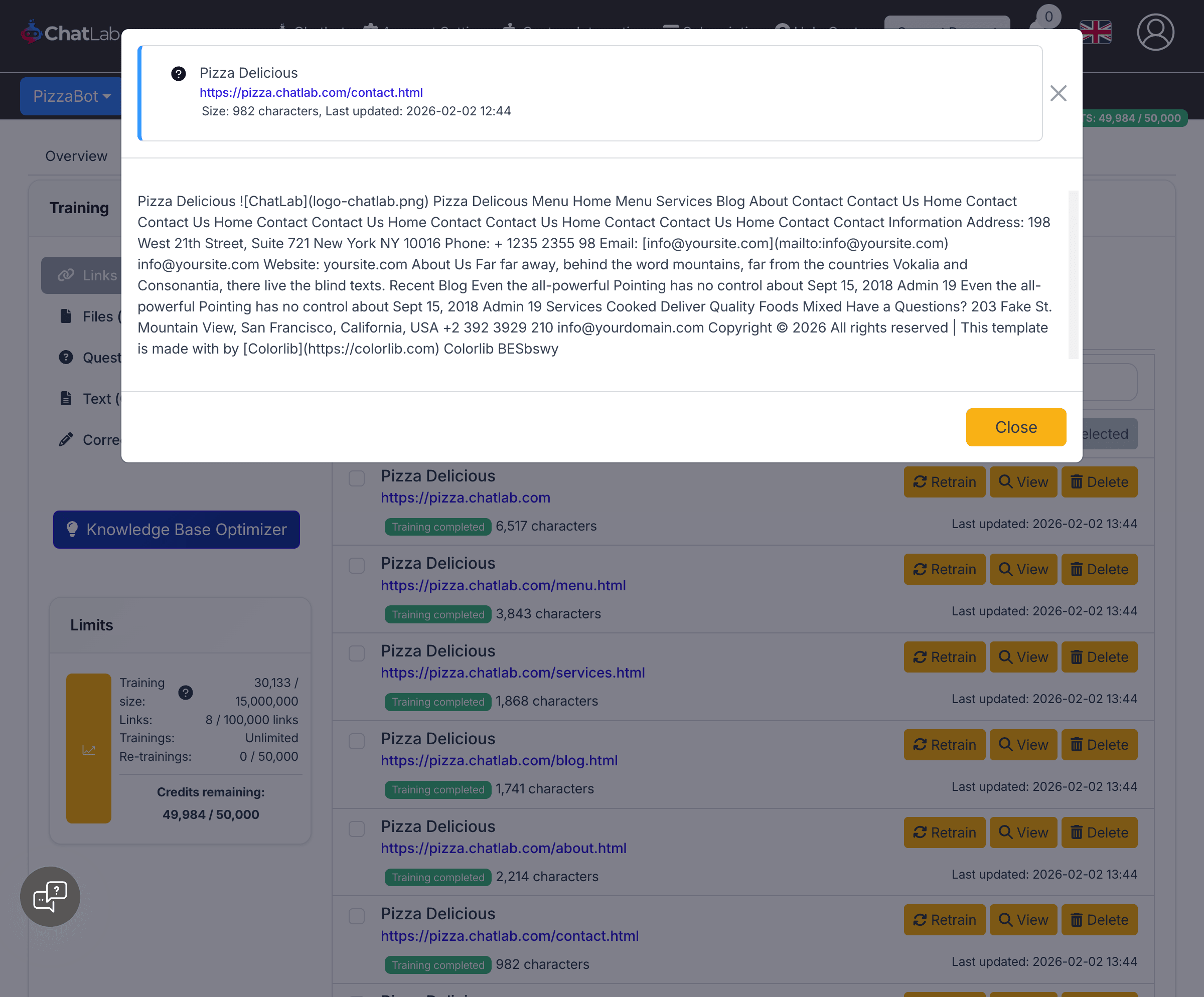
In the example above, the email address is stored as [info@yoursite.com](mailto:info@yoursite.com) -- a Markdown link that the AI can include as a clickable link in its responses.
Markdown in Text sources
Navigate to Training > Text and click Add New Training: Text. In the Text field, you can type Markdown syntax directly.
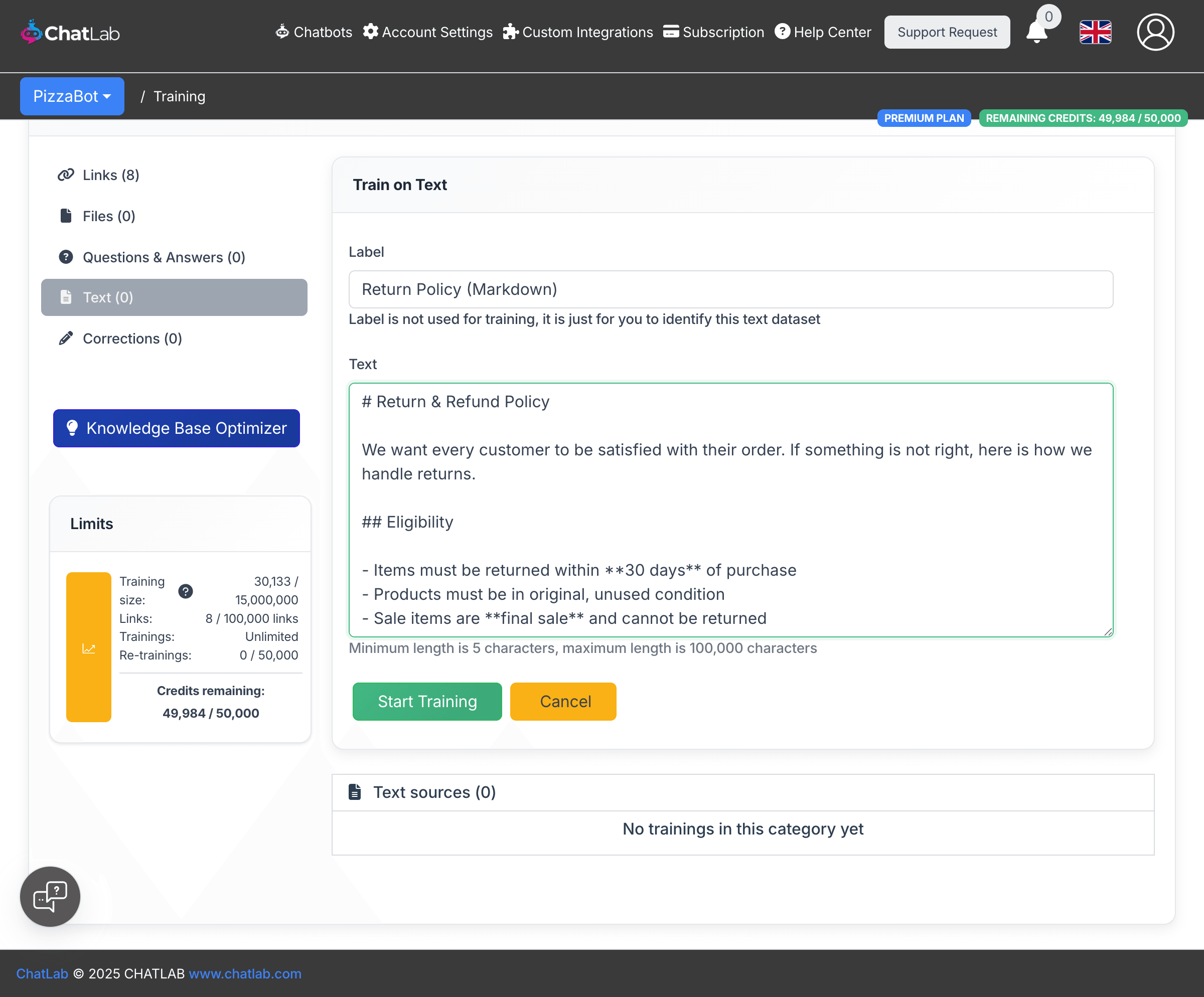
The example above shows a return policy written with Markdown headings (#, ##), bold text (**30 days**), bullet lists (-), and links ([Returns Portal](https://example.com/returns)).
Markdown in Q&A sources
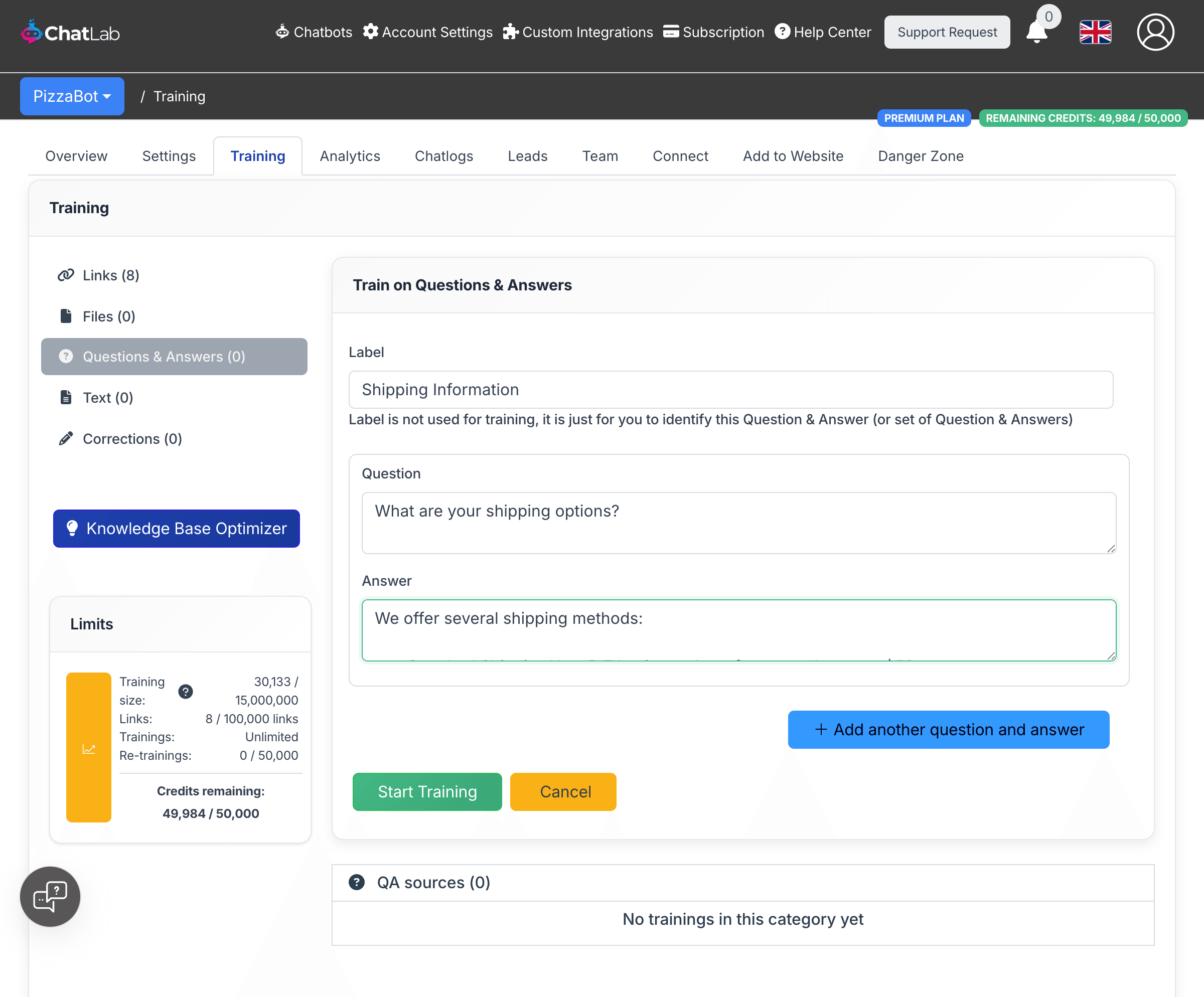
Navigate to Training > Questions & Answers and click Add New Training: QA. The Answer field supports Markdown syntax, allowing you to structure responses with lists, bold text, and links.
Supported Markdown syntax
Here is a reference of the Markdown elements you can use in Text and Q&A training sources:
Headings -- Use # for a main heading, ## for a subheading, down to ###### for the smallest heading level.
# Main heading
## Subheading
### Smaller heading
Bold and italic -- Wrap text in **double asterisks** for bold or *single asterisks* for italic.
**bold text**
*italic text*
Unordered lists -- Start each line with - or * followed by a space.
- First item
- Second item
- Third item
Ordered lists -- Start each line with a number followed by a period and a space.
1. First step
2. Second step
3. Third step
Links -- Use the format [link text](URL) to create clickable references.
Visit our [Help Center](https://example.com/help)
Email us at [support@example.com](mailto:support@example.com)
Images -- Use  to reference images. The AI may describe or link to these in responses.

How Markdown appears in chat responses
When your training data is structured with Markdown, the chatbot renders formatted responses in the chat widget -- including bullet lists, bold text, numbered steps, and clickable links.
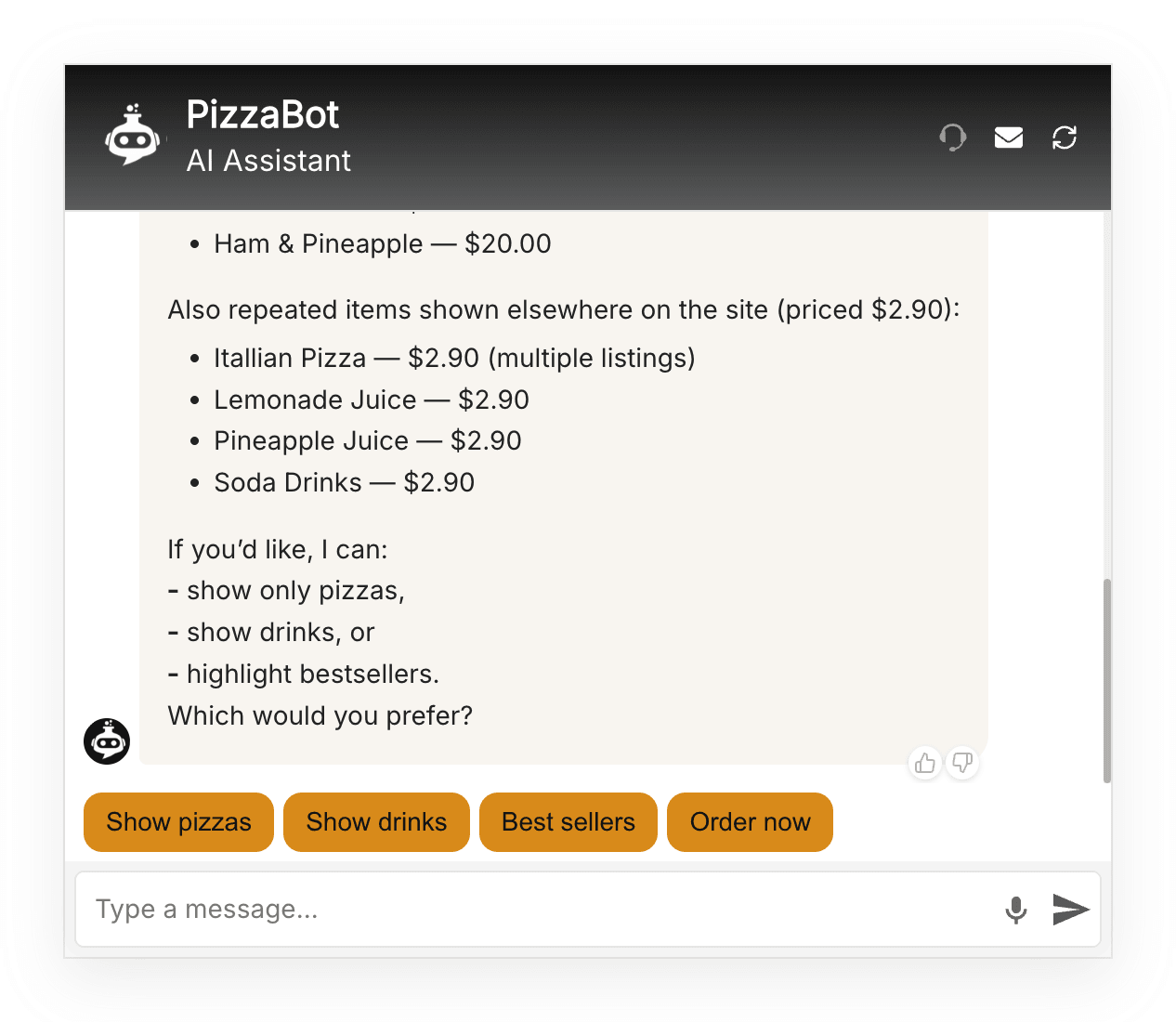
The chat widget supports rendering of headings, bold text, italic text, lists (ordered and unordered), links, images, and superscript.
Character usage
Markdown syntax characters (#, **, -, [](), etc.) count toward your training data character limit. Markdown-formatted content typically uses about 30% more characters than the equivalent plain text.
For example, the link [Help Center](https://example.com/help) uses more characters than just writing "Help Center", but gives the AI a URL it can include in responses.
If you are close to your character limit, you can reduce usage by simplifying the Markdown -- for instance, using fewer headings or shortening link labels.
Tips for effective Markdown training
- Use headings to organize topics -- This helps the AI identify which section of your content is relevant to a user's question
- Use lists for options, steps, or features -- The AI will often mirror this structure in its responses
- Include links to important pages -- The AI can provide these links when answering related questions
- Keep it simple -- Basic Markdown (headings, lists, bold, links) is most effective. Complex formatting like nested tables may not improve responses
Related articles
- Adding plain text -- Add text content without Markdown
- Adding questions and answers -- Define Q&A pairs for precise responses
- Training your chatbot: basics and limits -- Understanding training data limits
- Understanding training data limits -- How character counts work