What is conversation rating?
Conversation rating lets your website visitors provide feedback on chatbot responses. When enabled, thumbs up and thumbs down icons appear next to each bot message, allowing users to indicate whether a response was helpful. This feedback helps you identify areas where your chatbot performs well and where it needs improvement.
How to enable conversation rating
- From the main dashboard, select your chatbot.
- Go to Settings > Conversation.
- Scroll down to Conversation rating and click the toggle to enable it.
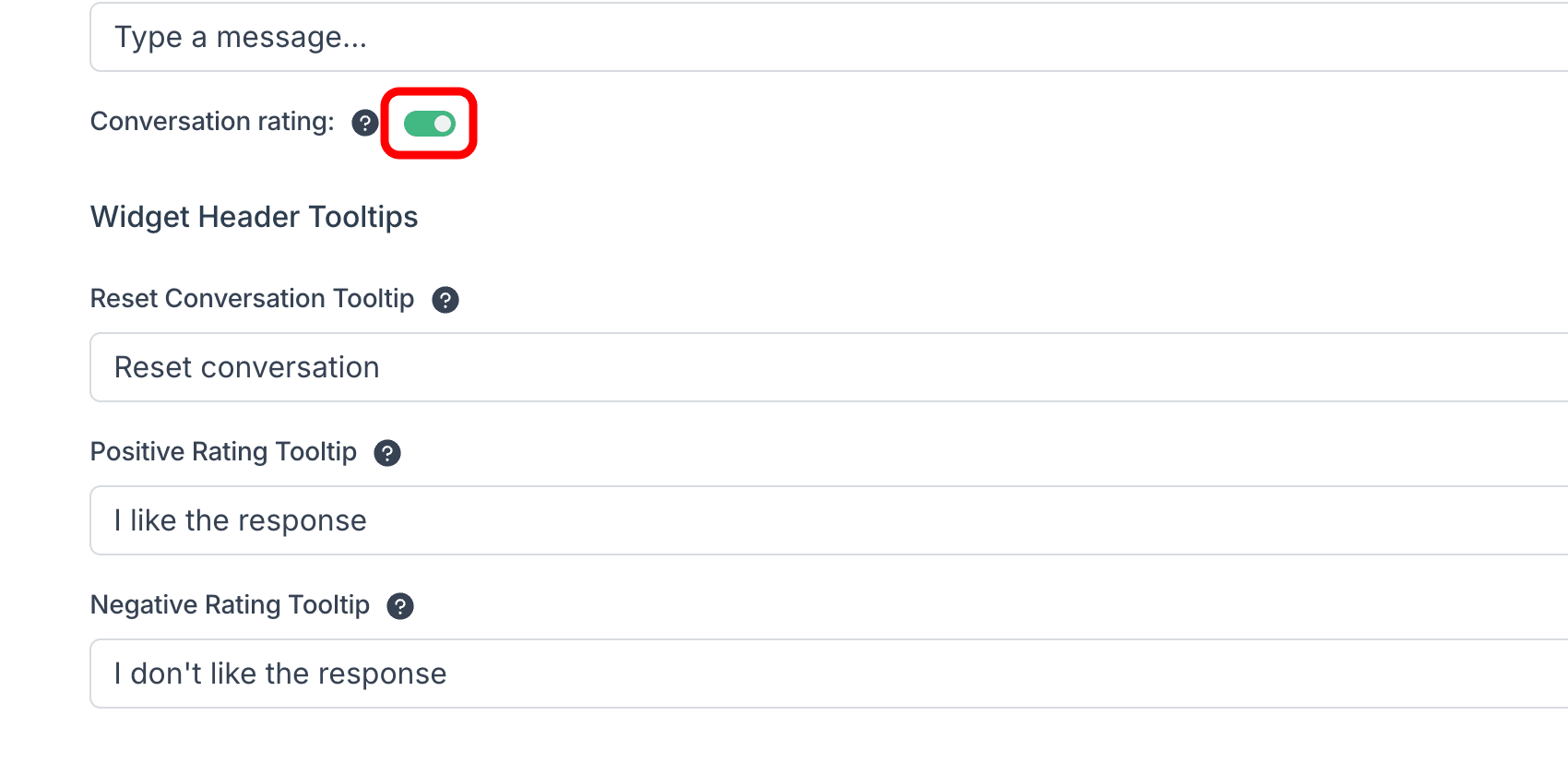
When enabled, two additional settings appear under Widget Header Tooltips:
- Positive Rating Tooltip -- the text shown when users hover over the thumbs up button (default: "I like the response").
- Negative Rating Tooltip -- the text shown when users hover over the thumbs down button (default: "I don't like the response").
You can customize these tooltip texts to match your brand voice or language.
How it looks to your visitors
When conversation rating is enabled, small thumbs up and thumbs down icons appear next to each bot response in the chat widget.
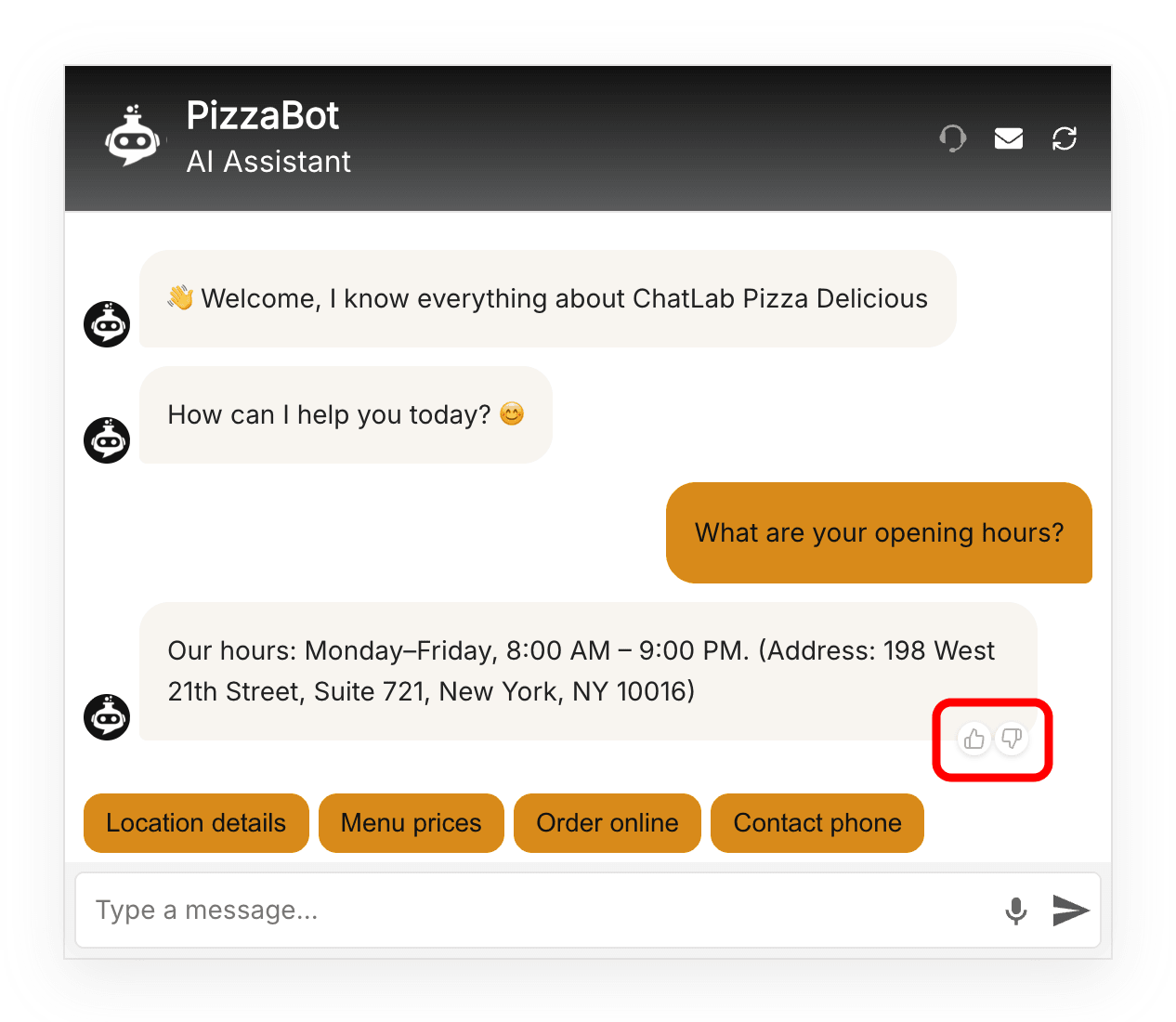
When a visitor clicks one of the rating buttons, a confirmation message appears in the conversation.
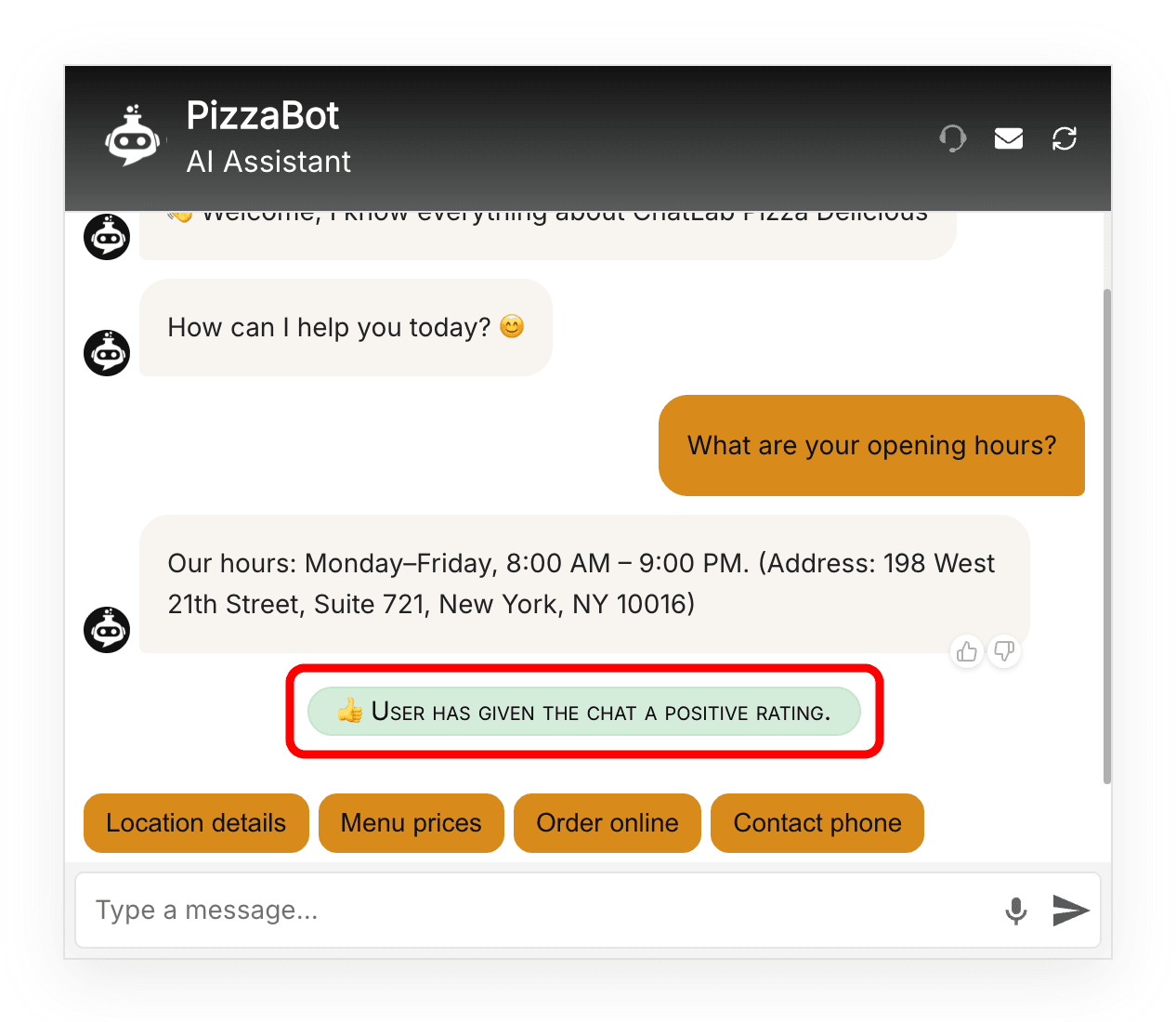
Users can change their rating at any time by clicking the other button.
Reviewing ratings in Chatlogs
You can filter conversations by rating in the Chatlogs tab. Use the rating dropdown to show only conversations rated as Positive or Negative. The rating is also displayed in the Conversation details panel on the right side of each conversation.
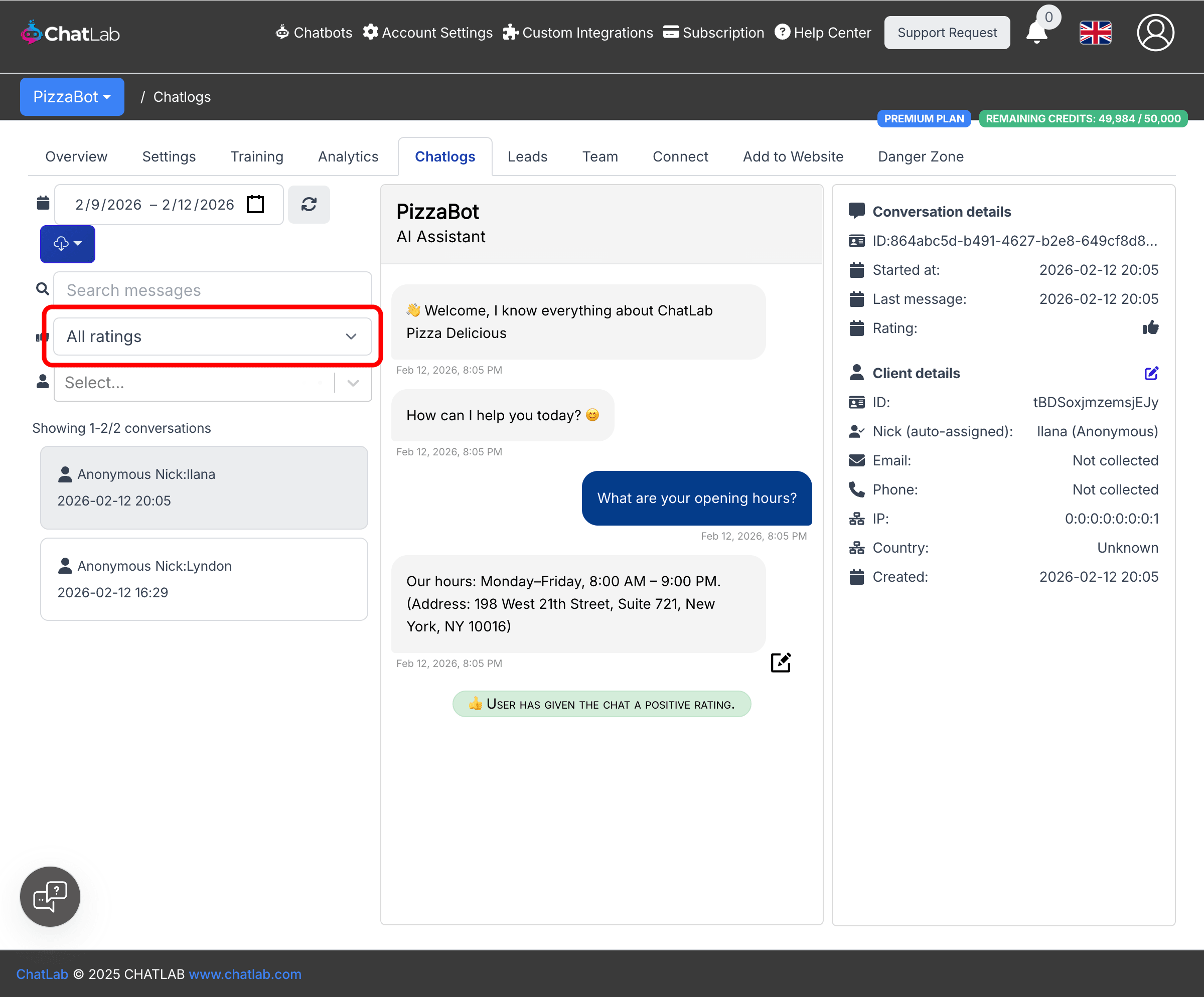
If you find conversations with negative feedback, you can add corrections to improve your chatbot's responses. Learn more about adding and editing corrections.