Dynamic suggested follow-ups are AI-generated clickable buttons that appear below each chatbot response. They update after every message based on the conversation context, helping visitors explore related topics without typing.
How to enable it
Select your chatbot and navigate to Settings > Chat Conversation > Conversation behavior. Keep Hide suggested questions after first message off, then enable Dynamic suggested follow-ups. Turning on the hide option disables follow-ups.
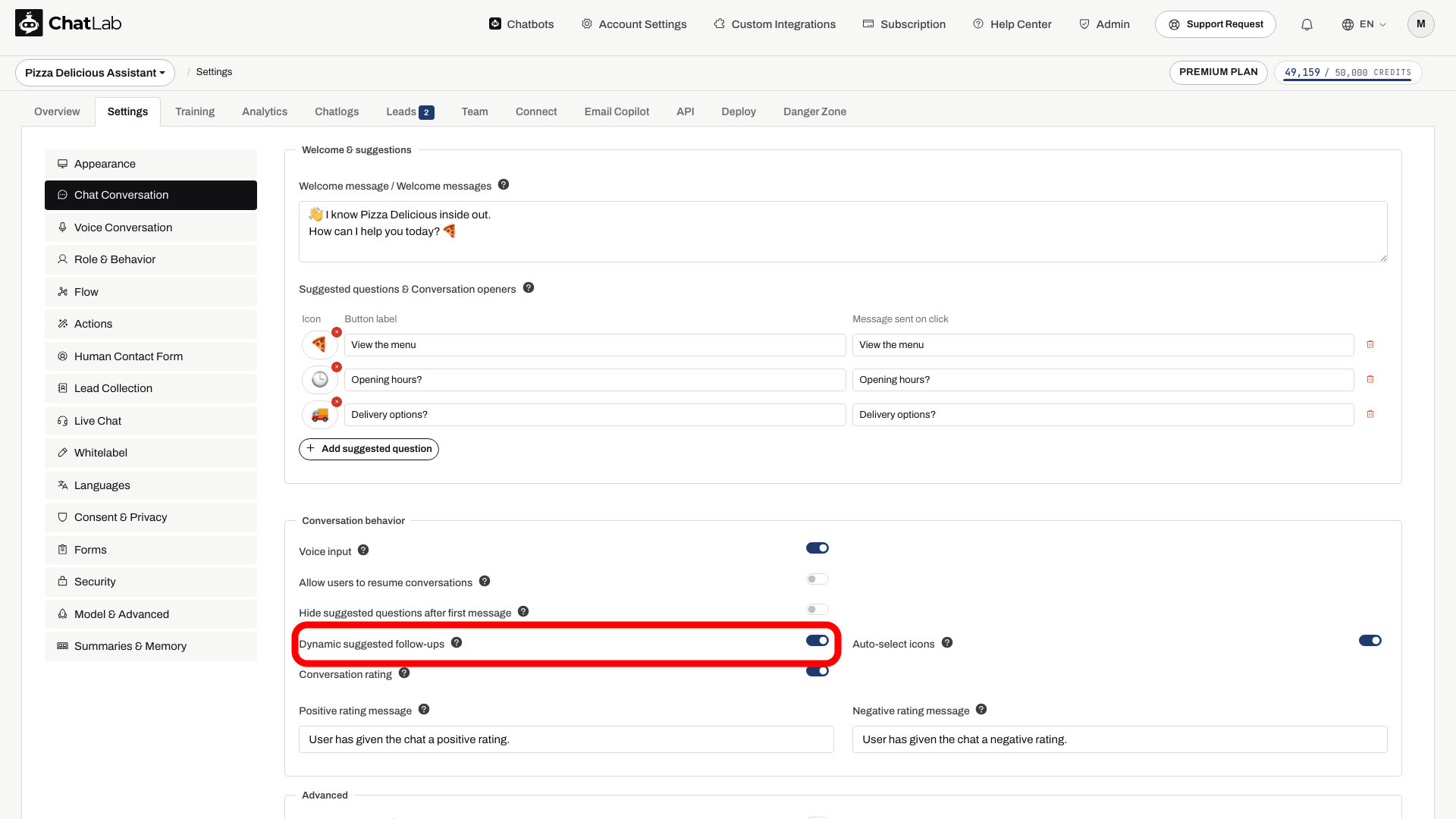
Settings save automatically. Wait for Saved, then ask a question in Overview and click one of the generated buttons to check the next reply.
How it works
Suggestions change with the conversation
Enable dynamic suggested follow-ups and keep suggested questions visible. Button wording is generated, not a fixed decision tree.

Visitor: What is your returns policy?
Play the example or read it below. No real customer data is used.The customer starts a topic.
Playback pauses when this example leaves the screen. This is a simulation, not a live chat. Widget controls inside the playback are not interactive.Read the complete example
- The customer starts a topic.
Visitor: What is your returns policy?
- The answer comes from the store information.
Assistant: In this example store, returns are accepted within 30 days.
- Relevant follow-up questions appear.
Suggestions: How do I return an item?, When is the refund paid?
- Selecting a suggestion sends it as a question.
Visitor: How do I return an item?
- The bot answers the selected question.
Assistant: Use the returns instructions on your order confirmation.
- New suggestions follow the updated context.
Suggestions: Who pays return shipping?, Contact support
Once enabled, the chatbot can generate short follow-up buttons after each response. These buttons replace the static suggested questions as the conversation progresses.
View the static screenshot
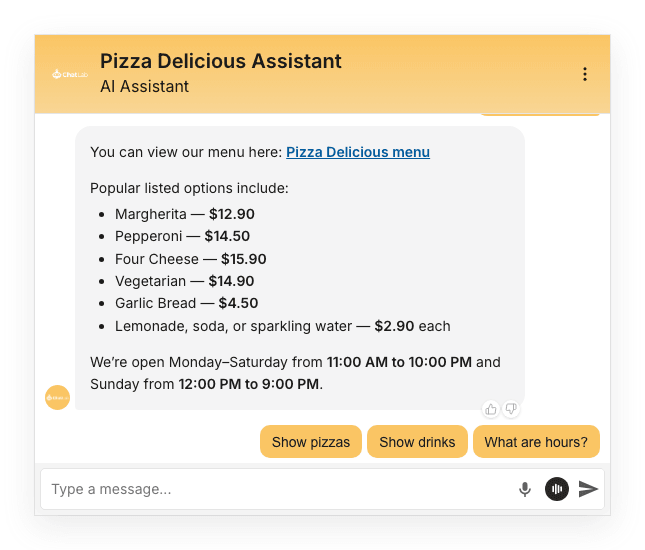
When a visitor clicks a follow-up button, the question is sent to the chatbot just as if they had typed it. The chatbot then responds with a new set of follow-up suggestions tailored to the updated conversation.
The follow-ups automatically match the language of the conversation.
Customizing follow-up behavior
You can influence the topics and style of follow-up suggestions by adding instructions in Settings > Role & Behavior. Enable the custom role mode and include guidance about what types of follow-ups the chatbot should suggest.
For example, you could instruct the chatbot to always suggest a follow-up related to pricing, or to guide users toward specific product categories.
For a detailed example of building structured question flows using this feature, see Predefined questions and answers flow.
Model compatibility
Dynamic suggested follow-ups are not available for the following AI models:
- Gemini 3.1 Flash-Lite
- GPT-4o and GPT-4o Mini
If your chatbot uses one of these models, the toggle will be disabled. Choose a compatible model in Settings > Model & Advanced to use this feature. Auto-select icons adds AI-selected emojis when follow-ups are enabled. The number and wording of buttons are generated, so they are not guaranteed fixed answer choices.