Dynamic suggested follow-ups are AI-generated clickable buttons that appear below each chatbot response. They update after every message based on the conversation context, helping visitors explore related topics without typing.
How to enable it
Select your chatbot, go to Settings > Conversation, and turn on the Dynamic suggested follow-ups toggle. It is located just below the Suggested questions field.
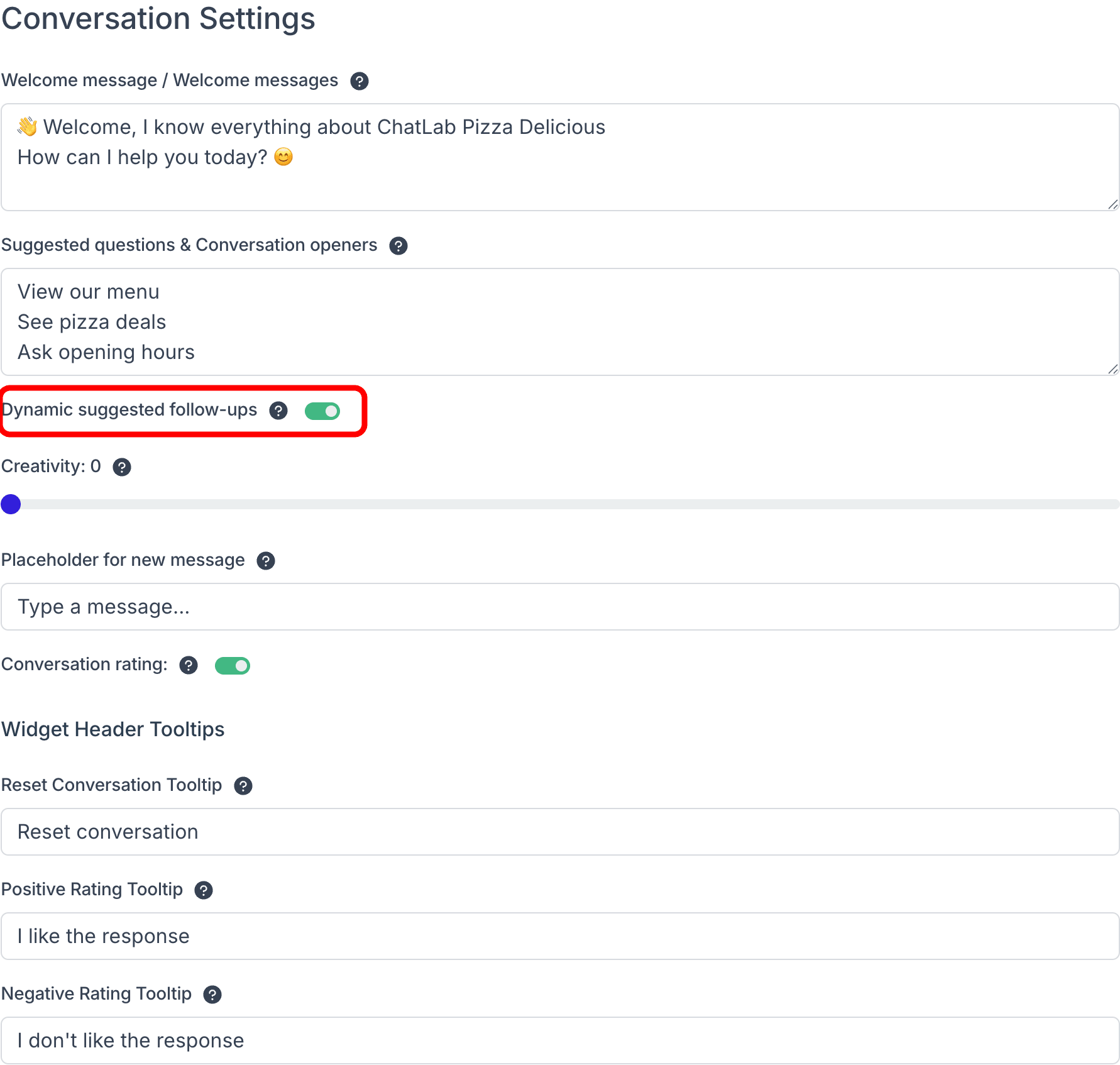
After enabling, click Save Changes.
How it works
Once enabled, the chatbot generates 3-4 short follow-up buttons after each response. These buttons replace the static suggested questions as the conversation progresses.
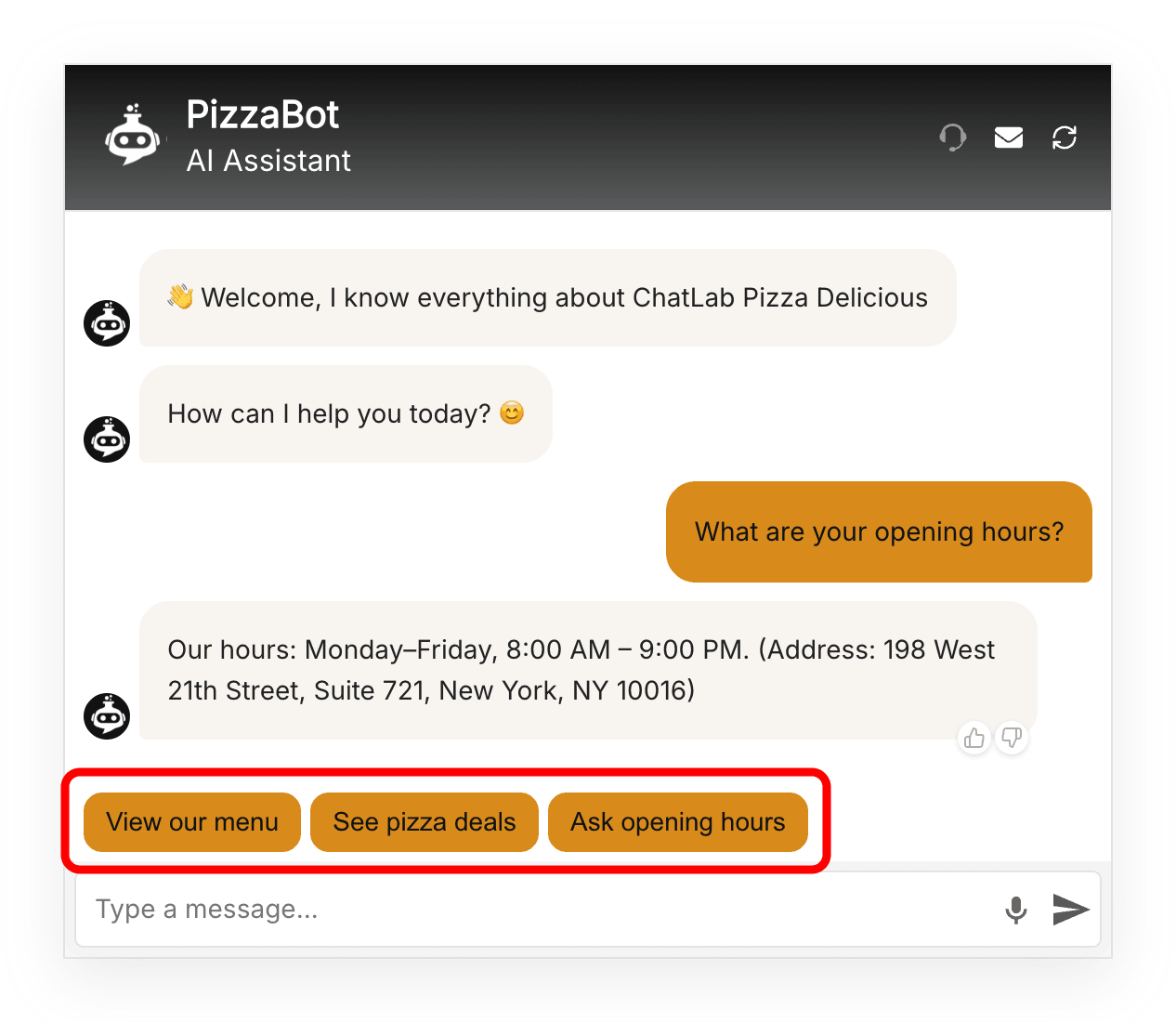
When a visitor clicks a follow-up button, the question is sent to the chatbot just as if they had typed it. The chatbot then responds with a new set of follow-up suggestions tailored to the updated conversation.
The follow-ups automatically match the language of the conversation.
Customizing follow-up behavior
You can influence the topics and style of follow-up suggestions by adding instructions in Settings > Role & Behavior. Enable the custom role mode and include guidance about what types of follow-ups the chatbot should suggest.
For example, you could instruct the chatbot to always suggest a follow-up related to pricing, or to guide users toward specific product categories.
For a detailed example of building structured question flows using this feature, see Predefined questions and answers flow.
Model compatibility
Dynamic suggested follow-ups are not available for the following AI models:
- Gemini models (Gemini 2.5 Pro, Gemini 2.5 Flash)
- GPT-4o
If your chatbot uses one of these models, the toggle will be disabled. Switch to GPT 4.1-mini or GPT 4.1 in Settings > Model & Advanced to use this feature.