What is Human-Like Messaging?
Human-Like Messaging simulates the natural pace of human conversation. Instead of displaying the entire bot response at once, it splits the reply into individual sentences and delivers them one at a time with a configurable delay between each bubble. A typing indicator is shown while the next sentence is being "prepared," creating the impression that someone is actively typing a response.
How to enable it
- From the main dashboard, select your chatbot.
- Go to Settings > Appearance.
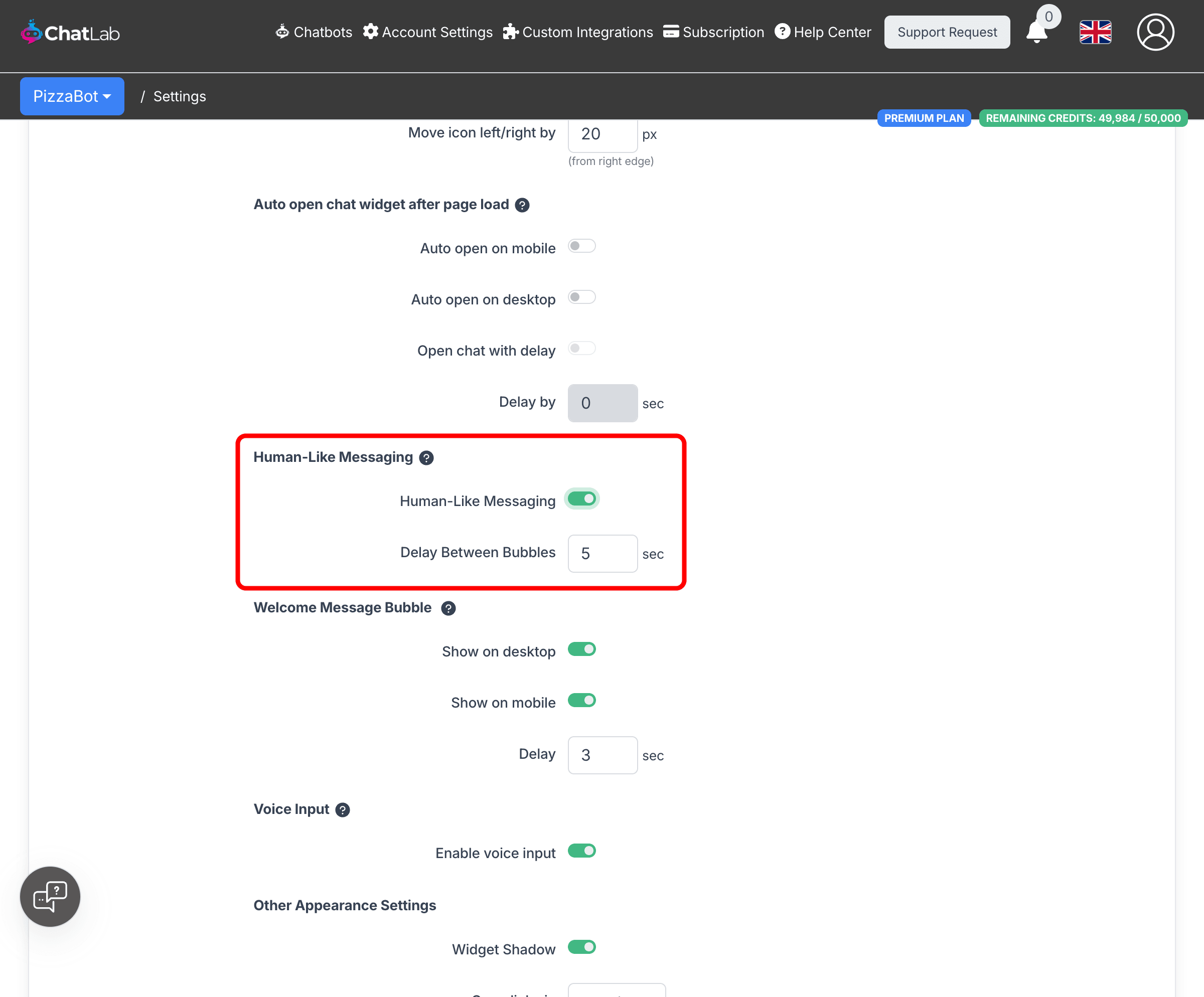
- Scroll down to the Human-Like Messaging section.
- Toggle Human-Like Messaging on.
- Set the Delay Between Bubbles value (in seconds).
- Click Save Changes at the top of the page.
How it works
When a visitor sends a message, the AI generates the full response behind the scenes. Once complete, the system:
- Splits the response into individual sentences.
- Shows a typing indicator for the configured delay duration.
- Displays the first sentence as a message bubble.
- Repeats steps 2-3 for each remaining sentence.
This means the visitor sees a typing indicator followed by a sentence, then another typing indicator, then the next sentence, and so on -- mimicking how a real person would type and send messages.
Configuring the delay
The Delay Between Bubbles setting controls how many seconds the typing indicator is shown before each sentence appears. The default value is 5 seconds.
- Lower values (2-3 seconds) -- feel responsive while still appearing natural. Good for support bots where users expect quick answers.
- Higher values (5-7 seconds) -- add more realism but slow down the conversation. Better for sales or conversational bots where a thoughtful pace is desired.
- The maximum allowed value is 200 seconds, but values above 10 are rarely practical.
When to use it
Human-Like Messaging works well for:
- Sales and lead generation bots -- a conversational pace builds rapport with visitors.
- Conversational bots -- the natural rhythm makes interactions feel more personal.
- Bots with longer responses -- splitting a long answer into multiple bubbles is easier to read.
Consider keeping it disabled for:
- Support bots where users expect immediate, complete answers.
- High-volume bots where speed matters more than conversational feel.
- Bots with very short responses -- single-sentence answers will not benefit from splitting.