There are two ways to add a ChatLab chatbot to your PrestaShop store: installing the ChatLab module (recommended) or manually pasting the script code into your theme.
Getting the Embed Code
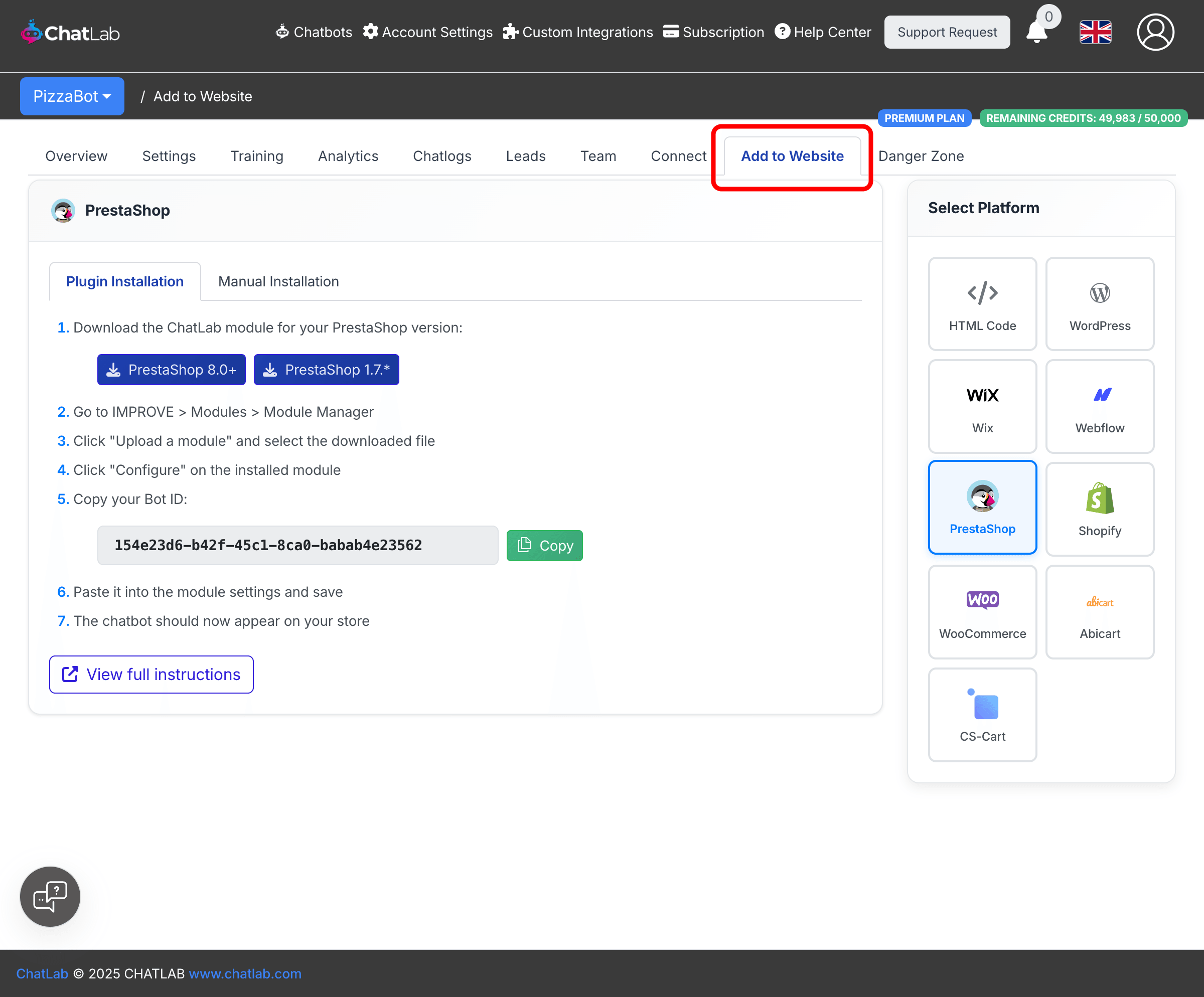
Select your chatbot from the main dashboard, then click the Add to Website tab.
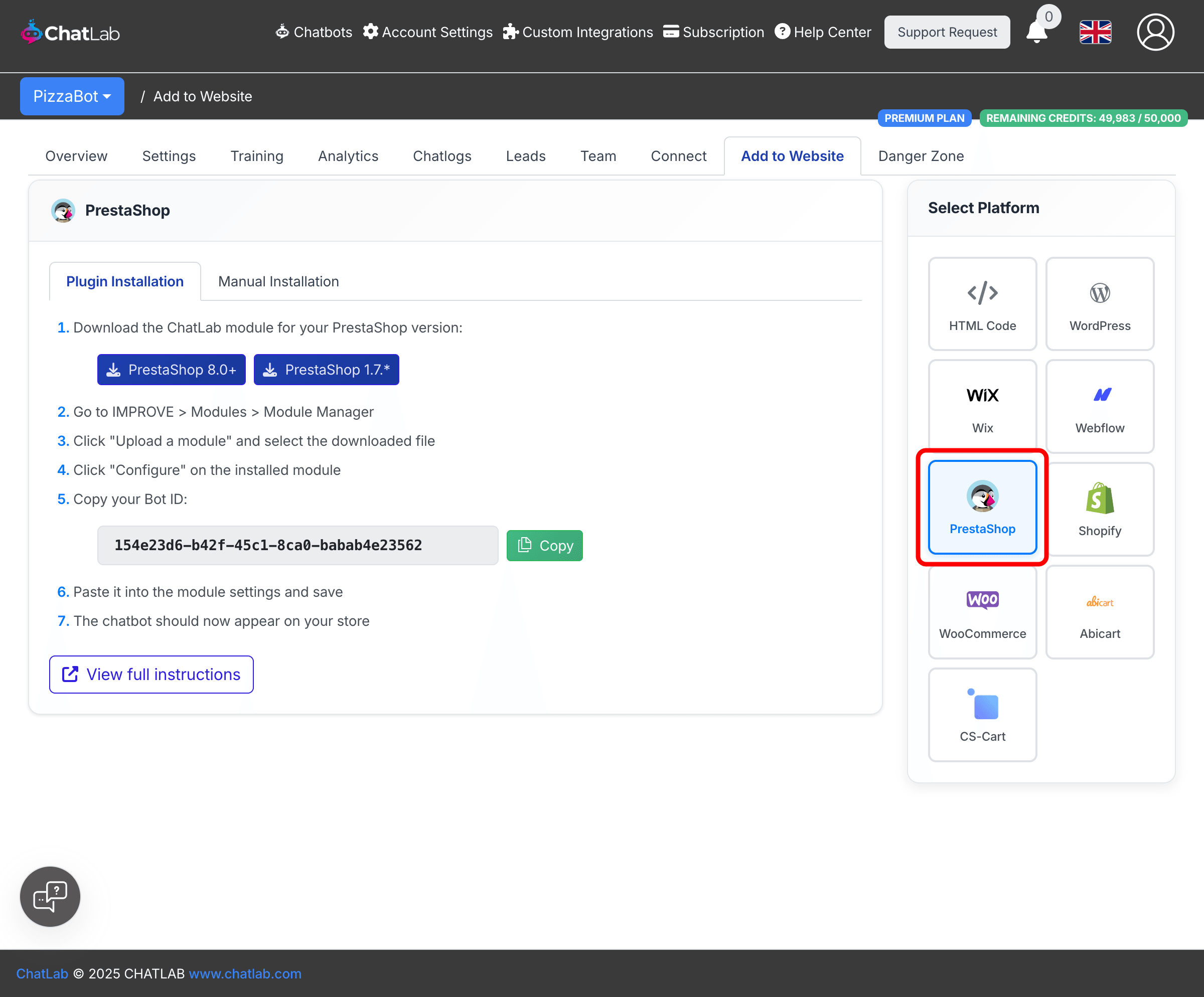
In the Select Platform panel on the right, click PrestaShop.
Method 1: Using the PrestaShop Module (Recommended)
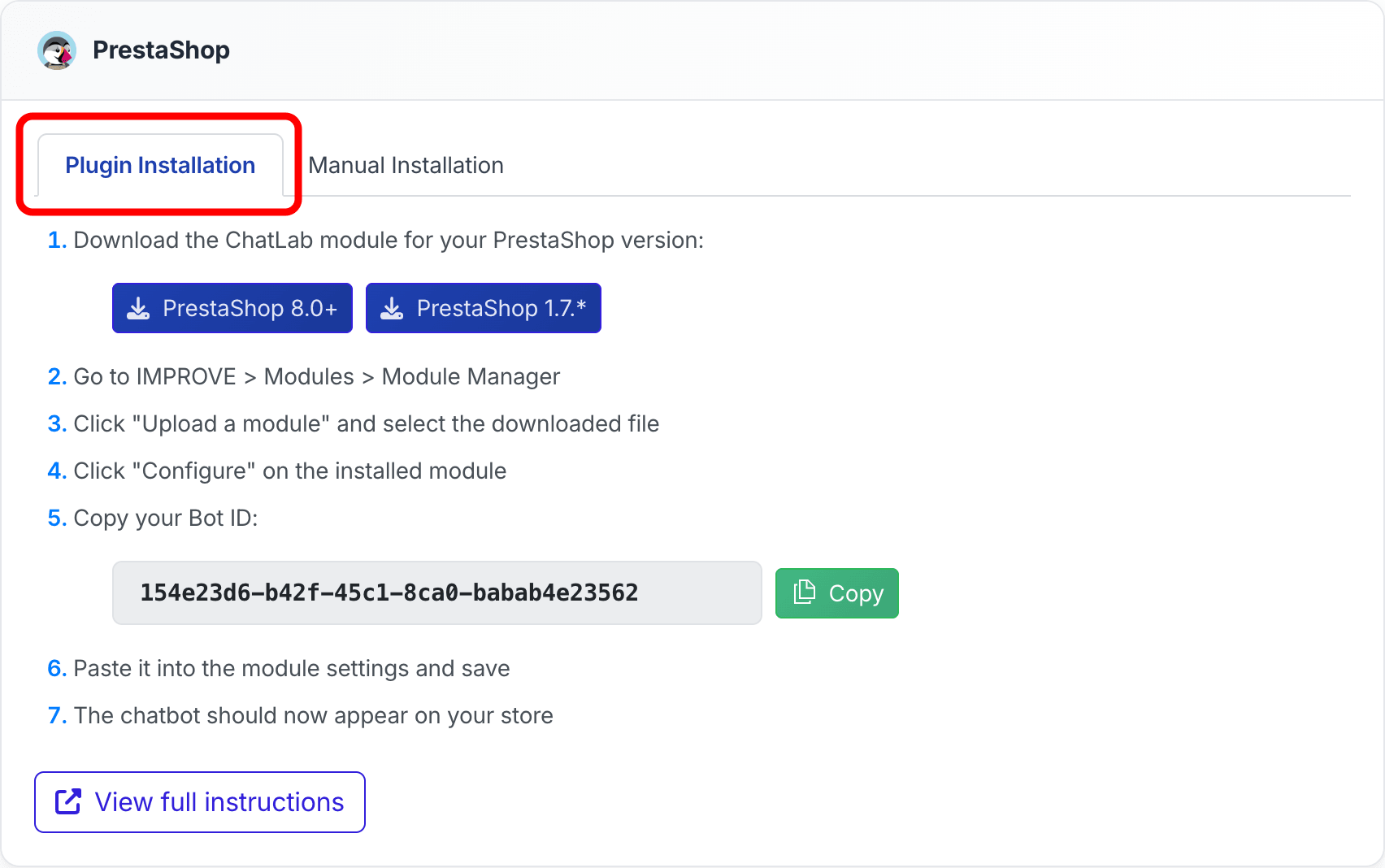
The Plugin Installation tab is selected by default. Follow the numbered steps shown on screen.
-
Download the module for your PrestaShop version:
- PrestaShop 8.0+ --
chatlabaicustomerservice.zip - PrestaShop 1.7.x --
chatlabaicustomerservice_1_7.zip
- PrestaShop 8.0+ --
-
In your PrestaShop back office, go to IMPROVE > Modules > Module Manager
-
Click Upload a module and select the downloaded
.zipfile -
Once installed, click Configure on the ChatLab AI Customer Service module
-
Copy your Bot ID from ChatLab using the Copy button
-
Paste the Bot ID into the module configuration field and save
-
Refresh your store -- the chatbot should now appear on your website
Method 2: Manual Script Installation
If you prefer not to use the module, you can paste the chatbot script directly into your store's theme template.
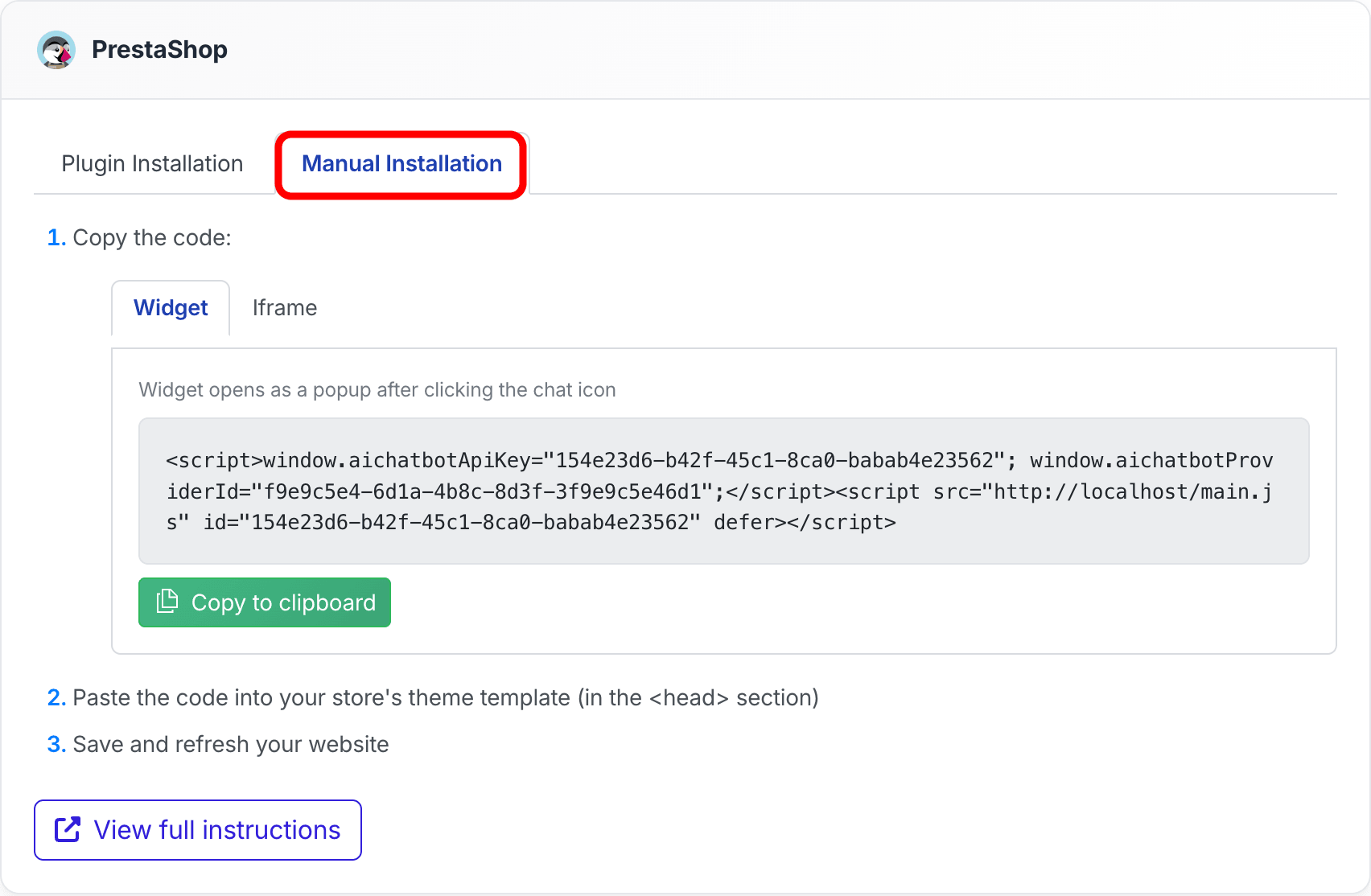
Click the Manual Installation tab.
-
Choose between Widget (popup chat icon) or Iframe (always-visible chat frame)
-
Click Copy to clipboard to copy the code
-
In your PrestaShop back office, open your theme template file and locate the
<head>section -
Paste the code as the last element inside
<head> -
Save the file and refresh your store to verify the chatbot appears
Not sure which embed type to choose? Read What is the difference between widget and Iframe? for a comparison.
E-Commerce Integration
Adding the chatbot widget to your store is just the first step. To enable product search and order tracking in your chat, connect the PrestaShop integration: Integration with PrestaShop
For general best practices on running a chatbot on an e-commerce store, see: How to set up ChatLab for your E-commerce store