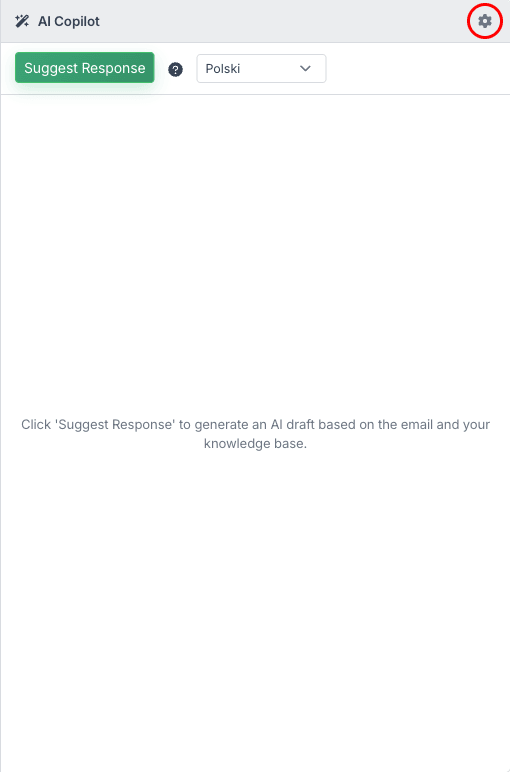
Click the gear icon next to "AI Copilot" in the panel header to open the Copilot Settings dialog.
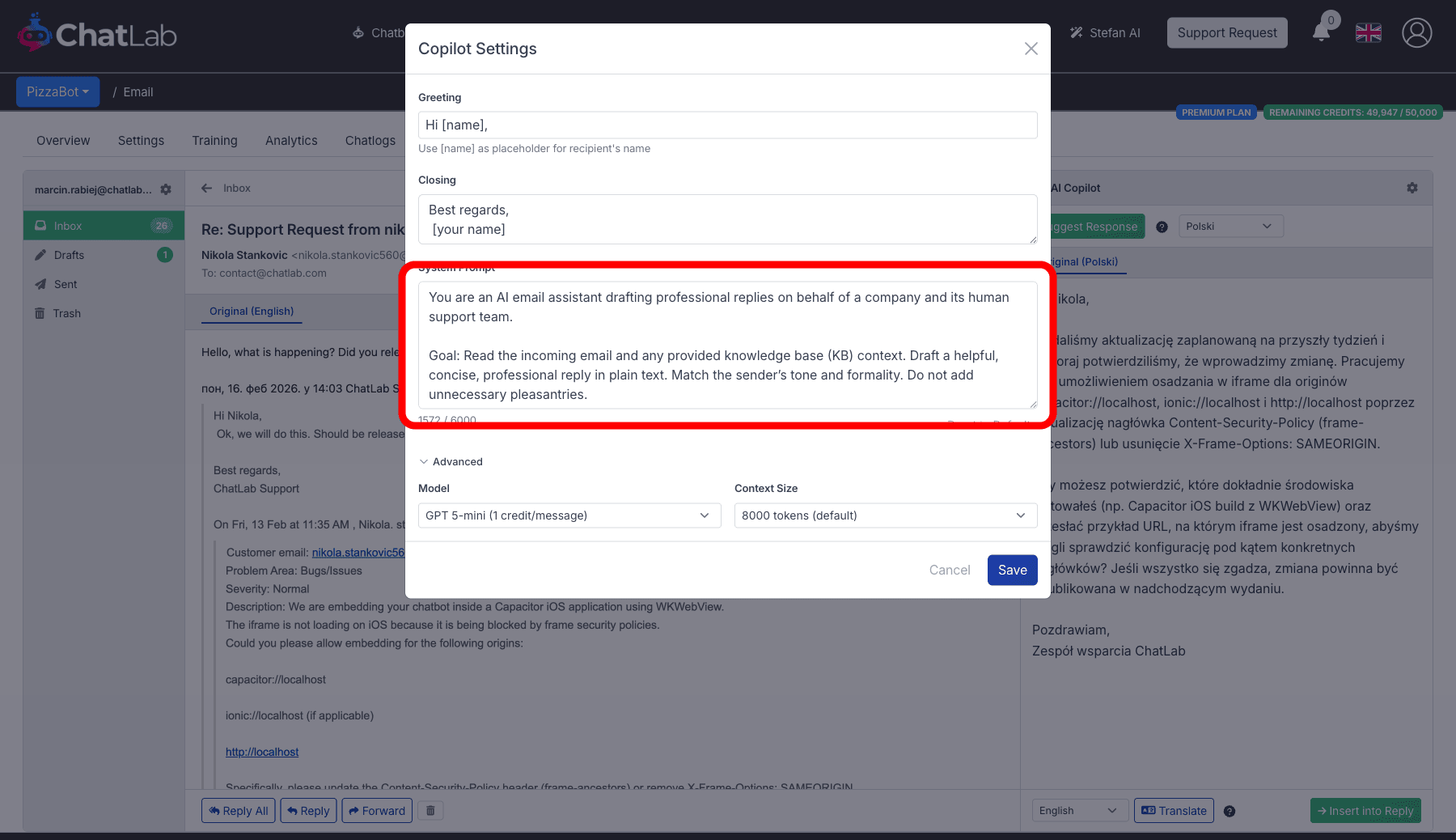
Greeting
The opening line the copilot adds to every suggested response. Default: Hi [name],
Use [name] as a placeholder -- it is replaced with the sender's name automatically.
Closing
The sign-off appended to every suggestion. Default: Best regards, [Your Name]
We recommend replacing the placeholder immediately with your actual name or team name, for example Best regards, ChatLab Support. This way every suggested reply is ready to send without manual editing.
System Prompt
Instructions that guide how the copilot drafts responses. The default prompt tells the copilot to:
- Draft professional, concise replies in plain text
- Use knowledge base content as the source of truth
- Match the sender's tone and formality
- Not invent facts beyond what the knowledge base contains
- Decline unrelated questions politely
- Append source URLs when knowledge base content is used
You can customize this prompt up to 6,000 characters. Click Reset to Default to restore the original prompt.
Advanced settings
Expand the Advanced section to configure:
- Model -- select the AI model for suggestions (e.g., GPT 5-mini at 1 credit, GPT 5 at 5 credits, Gemini models). The credit cost per suggestion depends on the model
- Context Size -- how much knowledge base context to include. Options:
- 8,000 tokens (default, 1x credits)
- 16,000 tokens (2x credits per suggestion)
- 32,000 tokens (4x credits per suggestion)
Larger context sizes let the copilot access more of your knowledge base per suggestion but cost more credits.