Create Q&A pairs to train your chatbot with precise answers to specific questions. This is useful when you want the chatbot to respond in a particular way to certain topics, or when you need to provide exact information that may not exist on your website.
Where to find Q&A training
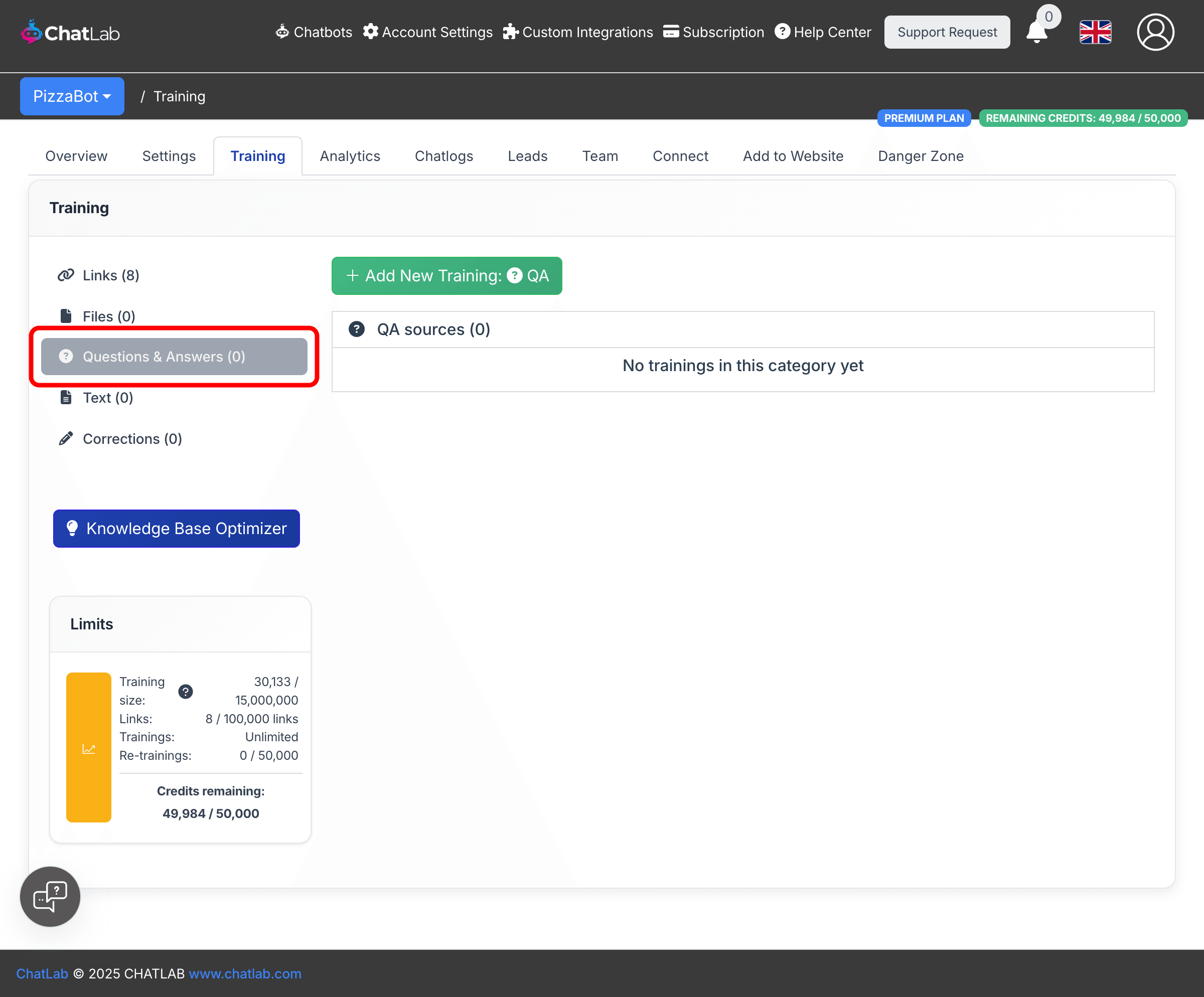
Select your chatbot, then navigate to the Training tab. In the left sidebar, choose Questions & Answers. This is where you manage all Q&A-based training sources.
How to add questions and answers
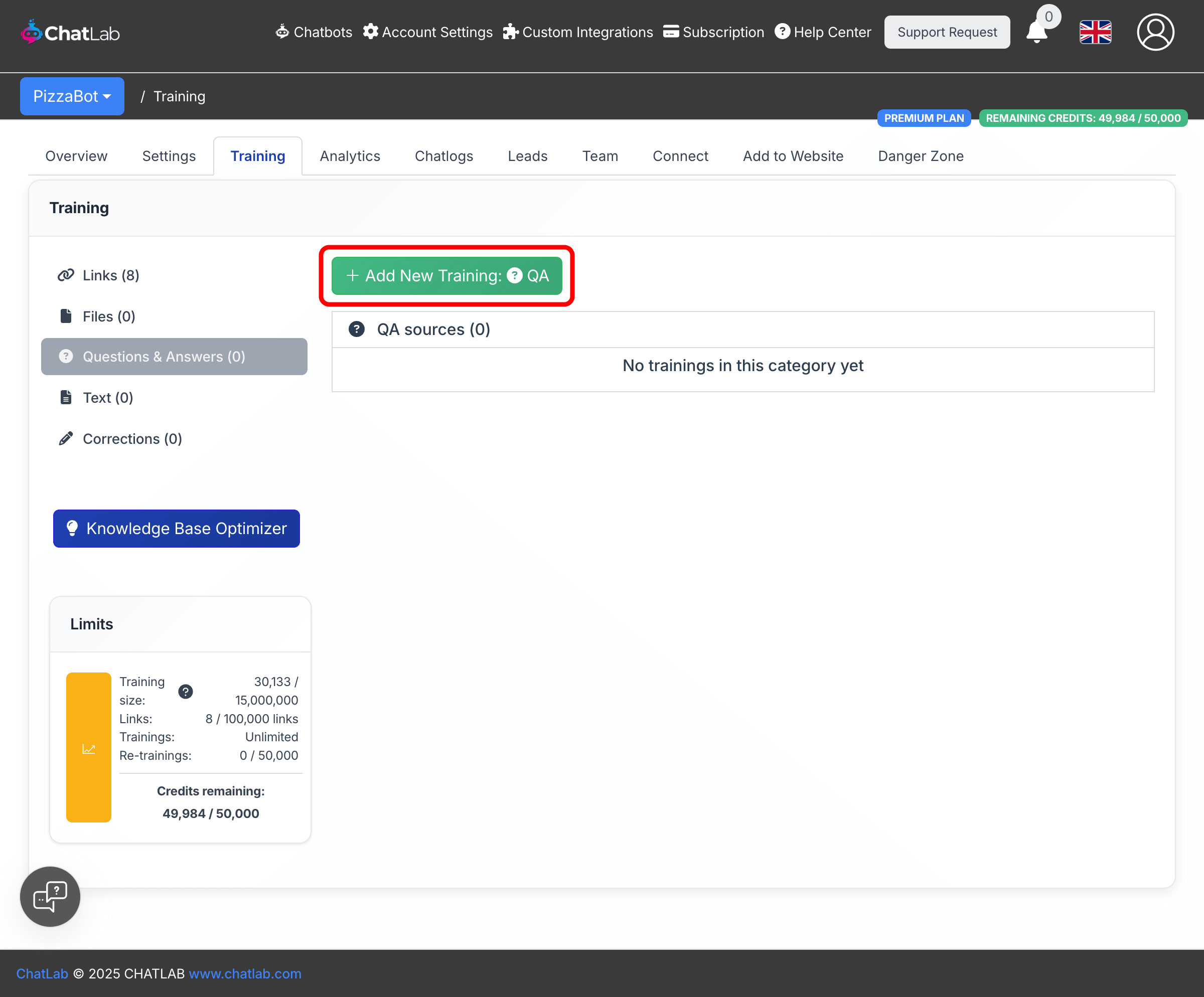
- Click the Add New Training: QA button at the top of the page.
-
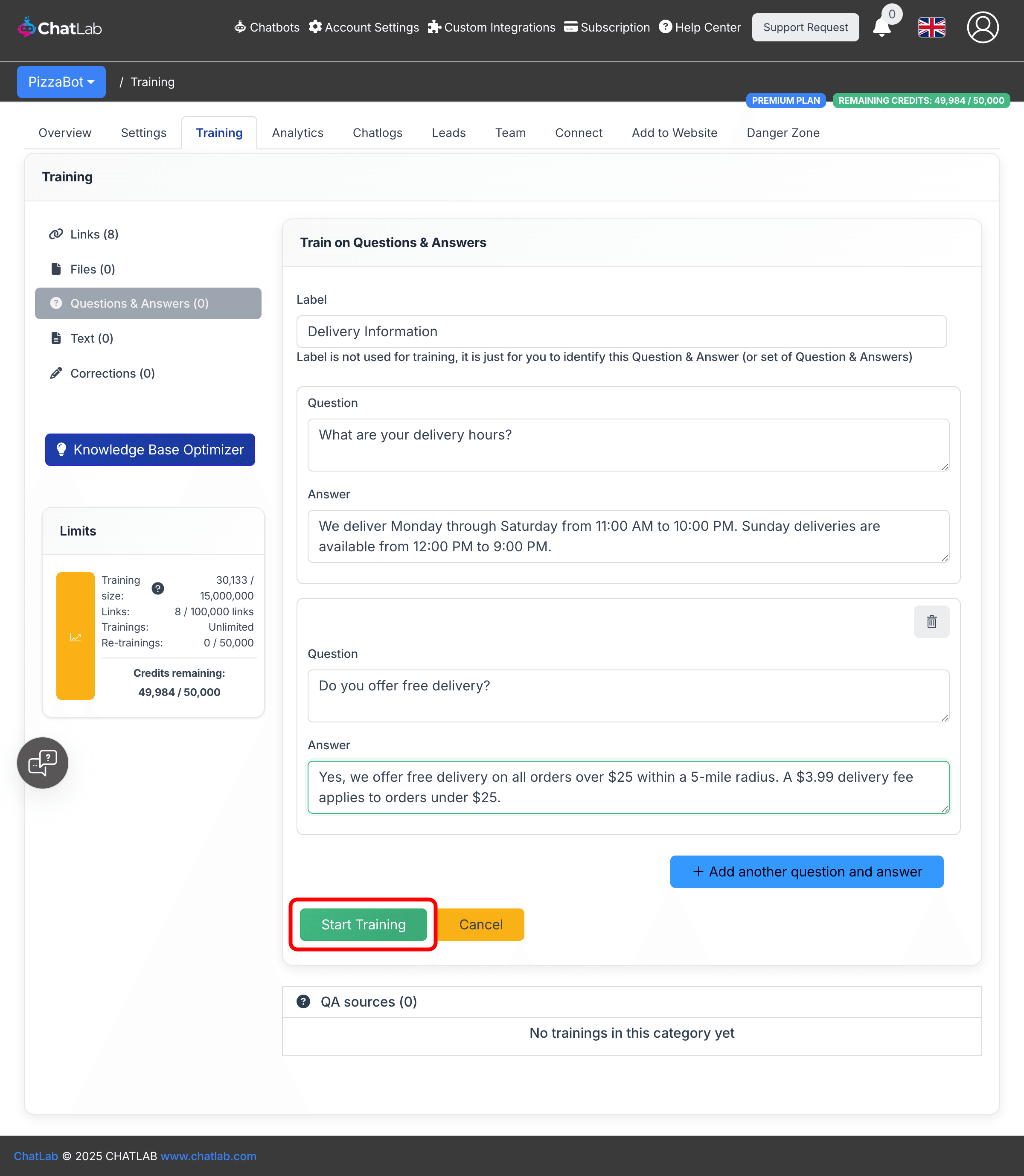
Fill in the form fields:
- Label -- A name to help you identify this Q&A set. The label is not used for training and will not affect chatbot responses. It is only for your own reference. Maximum length is 100 characters.
- Question -- The question a user might ask. Minimum 5 characters, maximum 1,000 characters.
- Answer -- The response your chatbot should give. Minimum 5 characters, maximum 1,000 characters.
-
To add more Q&A pairs under the same label, click Add another question and answer. This groups related questions together, making it easier to manage your training data. You can remove additional pairs by clicking the trash icon in the top-right corner of each pair.
-
Click Start Training to begin the training process.
How Q&A processing works
After you click Start Training, ChatLab processes your Q&A pairs in the background:
- Processing -- ChatLab converts your questions and answers into chunks optimized for retrieval.
- Training -- The data is transformed into embeddings and indexed into your chatbot's knowledge base.
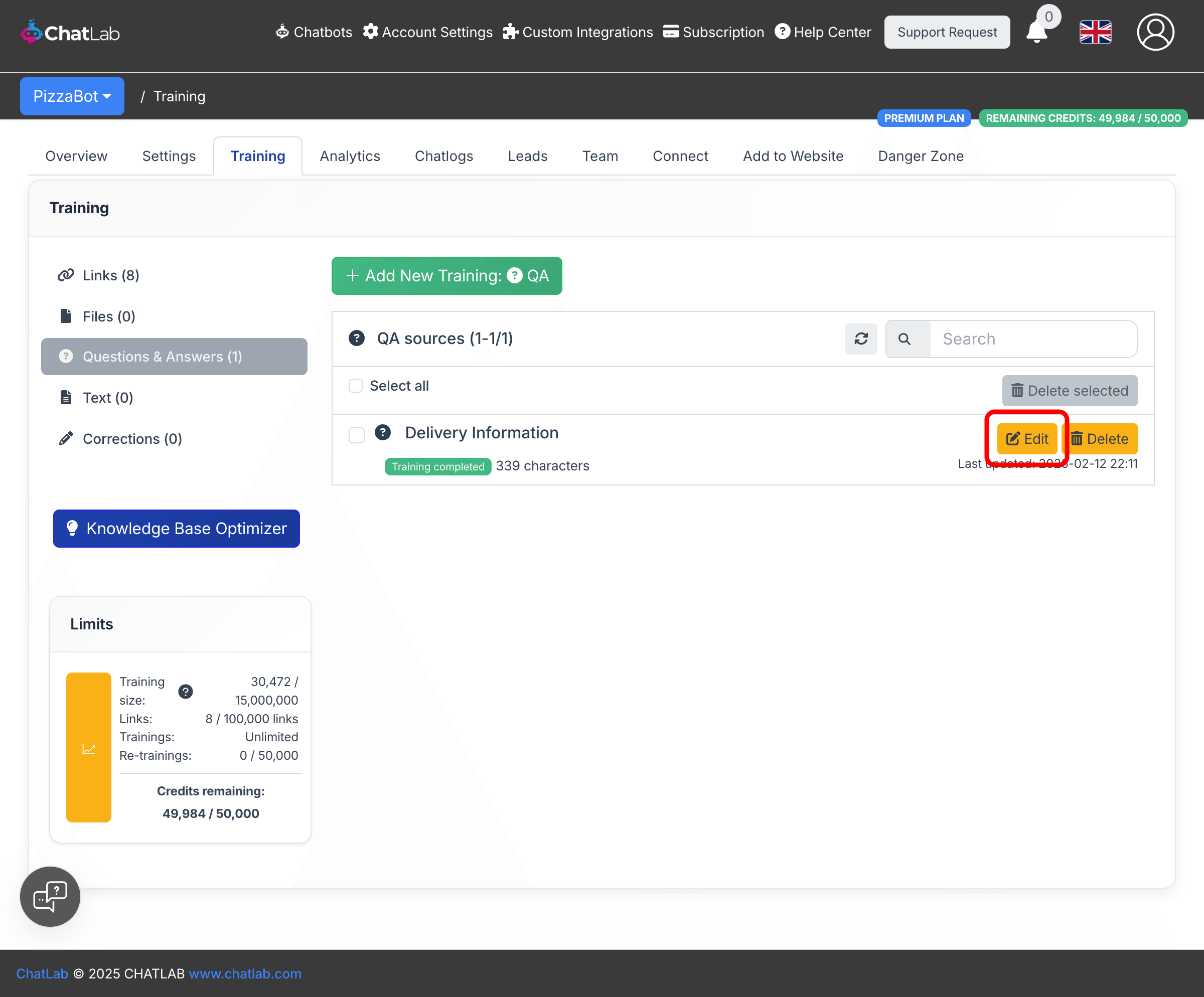
Once training is finished, your Q&A set appears in the QA sources list with a green "Training completed" status. Each entry shows the label, character count, and the date it was last updated.
Editing existing Q&A
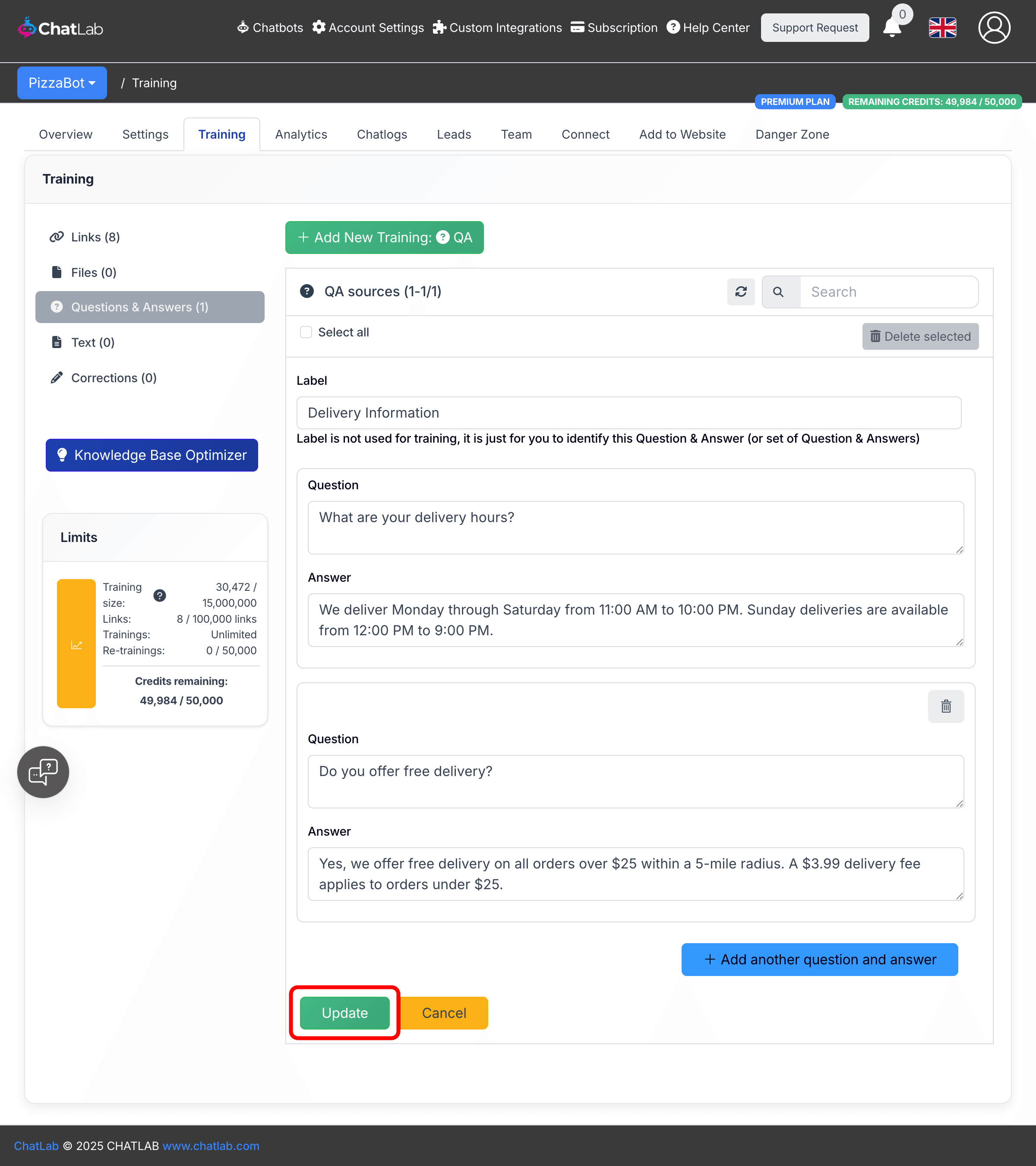
To update a Q&A set, click the Edit button next to it. The edit form opens inline with the current label, questions, and answers pre-filled. You can modify existing pairs, add new ones, or remove pairs you no longer need. Click Update to retrain with the new content.
When to use Q&A training
- Precise answers -- When you need the chatbot to respond to a specific question with an exact answer, such as business hours, pricing, or policies
- Frequently asked questions -- Common questions that customers ask repeatedly, where you want consistent and accurate responses
- Information not on your website -- Internal knowledge, upcoming changes, or details that have not been published yet
- Override or supplement -- When the chatbot's response from website or file training is not quite right and you want to provide a better answer for a specific topic
Related articles
- Training your chatbot: basics and limits -- Understanding training data limits
- Adding plain text -- Add custom text content directly
- Adding new files -- Upload PDF, Word, Excel, and other files
- Advanced training using Markdown syntax -- Format training data with Markdown