What is Products View
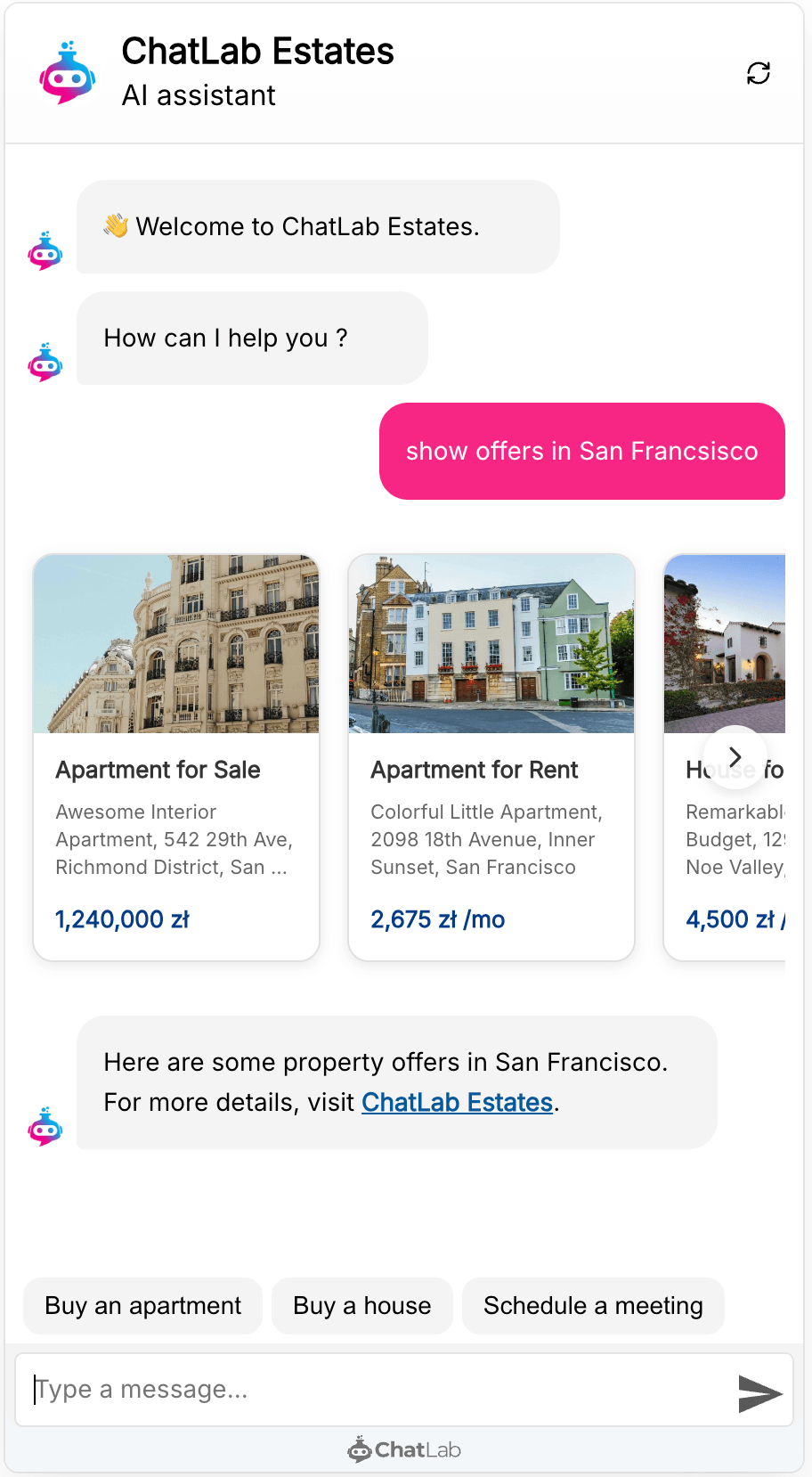
Products View changes how your chatbot presents product-like information. Instead of listing items as plain text, the chatbot displays them as visual cards in a horizontal scrollable carousel. Each card shows:
- Product image
- Product name
- Short description
- Price (when available)
- Clickable link to the product page
When there are more products than can fit in the chat widget, visitors can scroll horizontally through the results or use the navigation arrows.
How to enable it
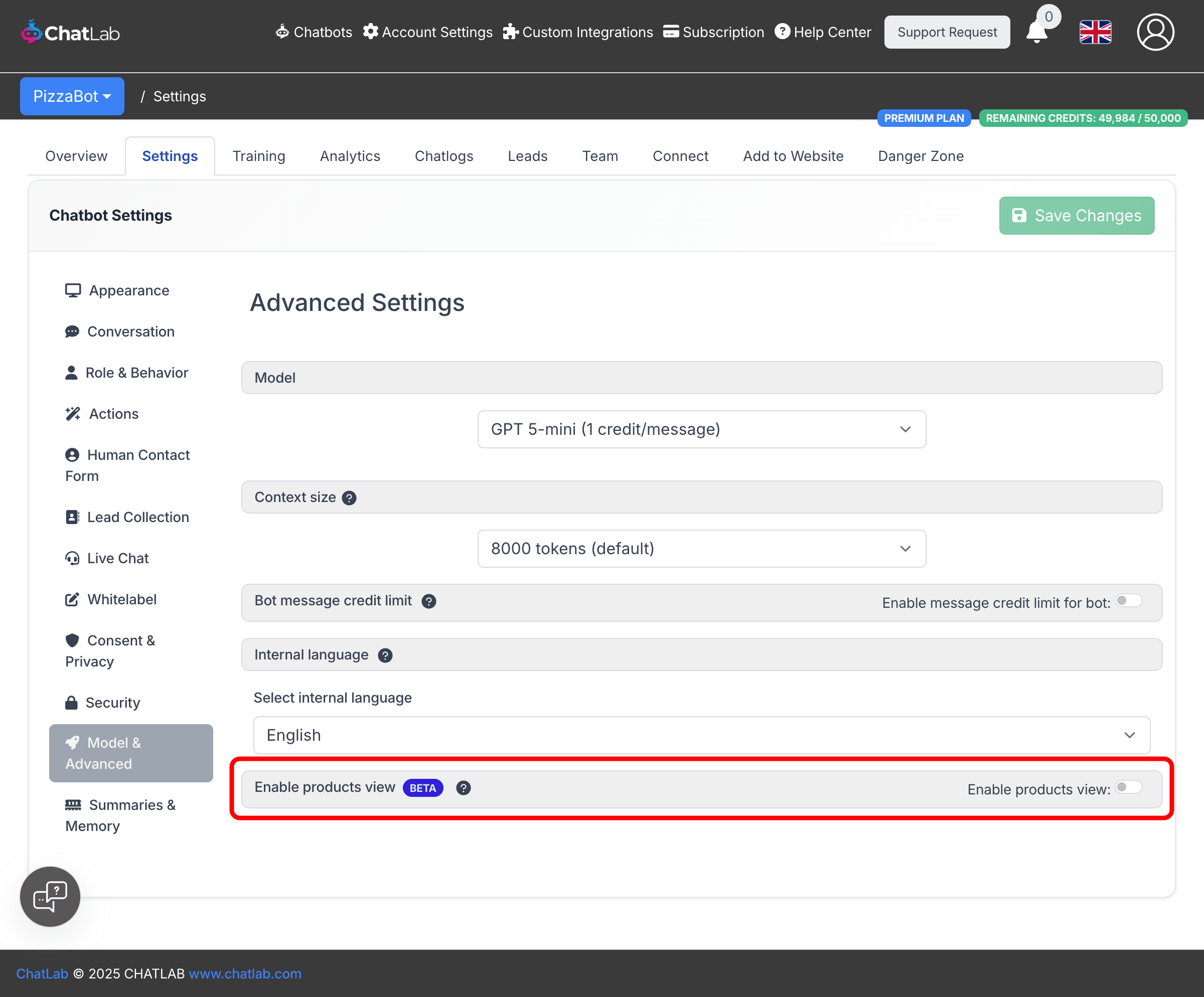
- Select your chatbot and go to Settings > Model & Advanced.
- Scroll down to the Enable products view section.
- Turn on the Enable products view toggle.
- Click Save Changes.
How it works
When Products View is enabled, the AI structures its responses so that product-like items are extracted and displayed as visual cards. This happens automatically -- whenever the chatbot's response contains products, offers, or similar items, they appear in the card carousel instead of inline text.
Products View works in two scenarios:
-
With e-commerce integrations -- When your bot has a Shopify, WooCommerce, or other e-commerce integration connected (via the Connect tab), product search results from the integration are displayed as cards. Products load progressively, appearing one by one as the integration returns results.
-
Without e-commerce integrations -- Products View also recognizes product-like content from your training data. If your website contains property listings, hotel rooms, service packages, or any structured offers, the chatbot presents them as cards when relevant.
Clicking a product card
When a visitor clicks a product card, the product page opens according to the link target setting configured in Settings > Appearance > Open links in (new tab or same tab). On mobile devices, the chat widget minimizes automatically before opening the product link.
All product links include a utm_source=aichatbot parameter so you can track chatbot-driven traffic in your analytics.
Model compatibility
Products View requires an AI model that supports structured output. The following models are compatible:
- GPT 4.1-mini
- GPT 4.1
- GPT 5-mini
- GPT 5
- GPT 5.1
- GPT 5.4-mini
- GPT 5.4
- GPT 5.5
Products View is not available for Gemini models or GPT-4o. If you select an incompatible model, the toggle is automatically disabled. Switch to a compatible model in Settings > Model & Advanced to use this feature.