Rate limits protect your chatbot against message flooding - for example, a malicious visitor or an automated script sending messages nonstop to drain your message credits. When a visitor exceeds the limit, the chatbot stops responding to them and displays a message you define, until the time period passes.
The configurable message counter is per chat session, not per IP address or authenticated user. Separate sessions have separate counters; browser tabs that share a session share its counter. Other spam and IP protections can still affect multiple sessions.
Where to Find It
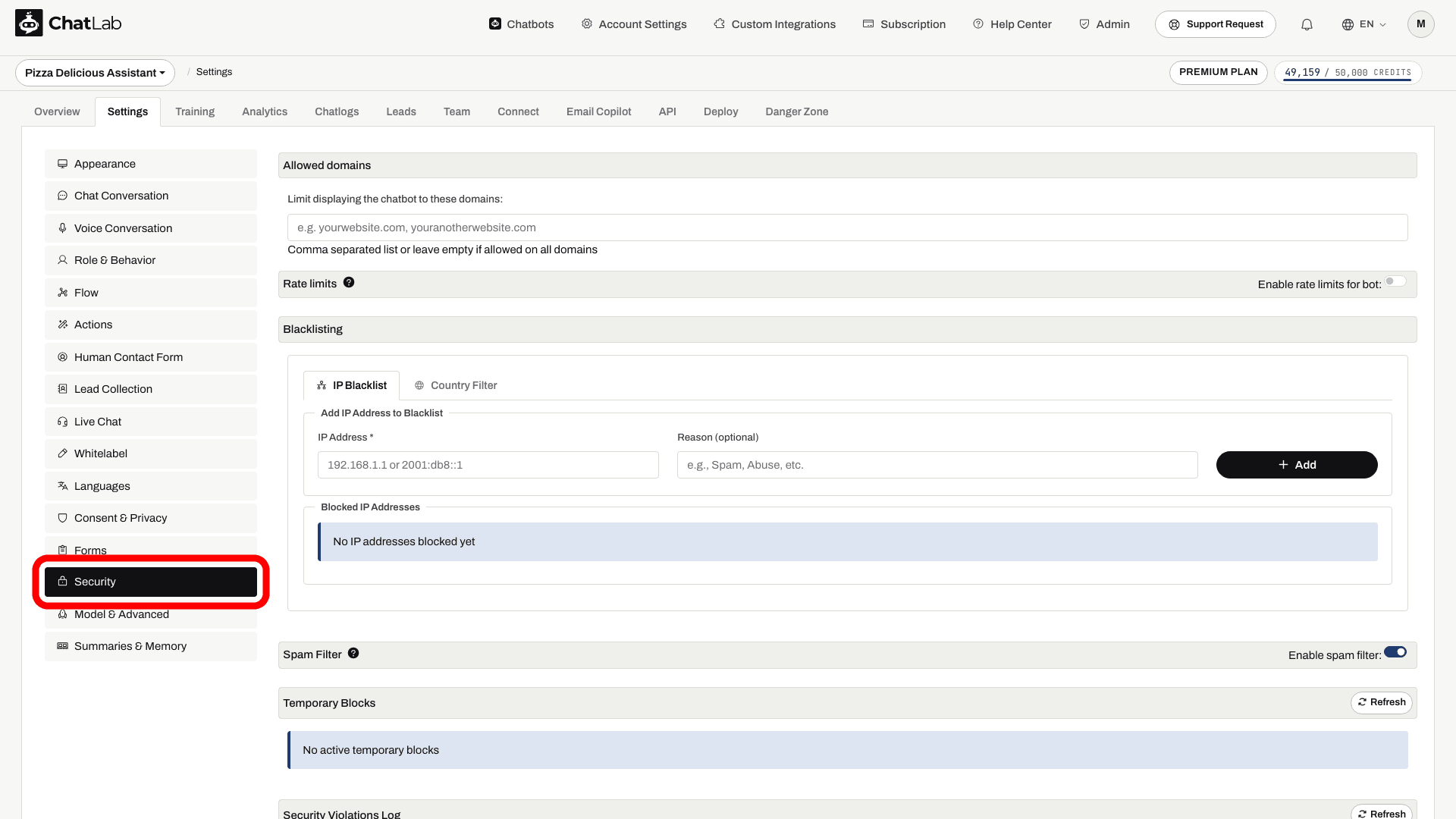
Select your chatbot and navigate to Settings > Security. The Rate limits section is right below Allowed domains.
How to Enable It
- Turn on the Enable rate limits for bot toggle in the Rate limits section header.
- The limit fields appear, pre-filled with the recommended values: 40 messages every 150 seconds.
- Adjust the numbers and the limit message if needed. Changes save automatically - the saved-status indicator confirms the change.
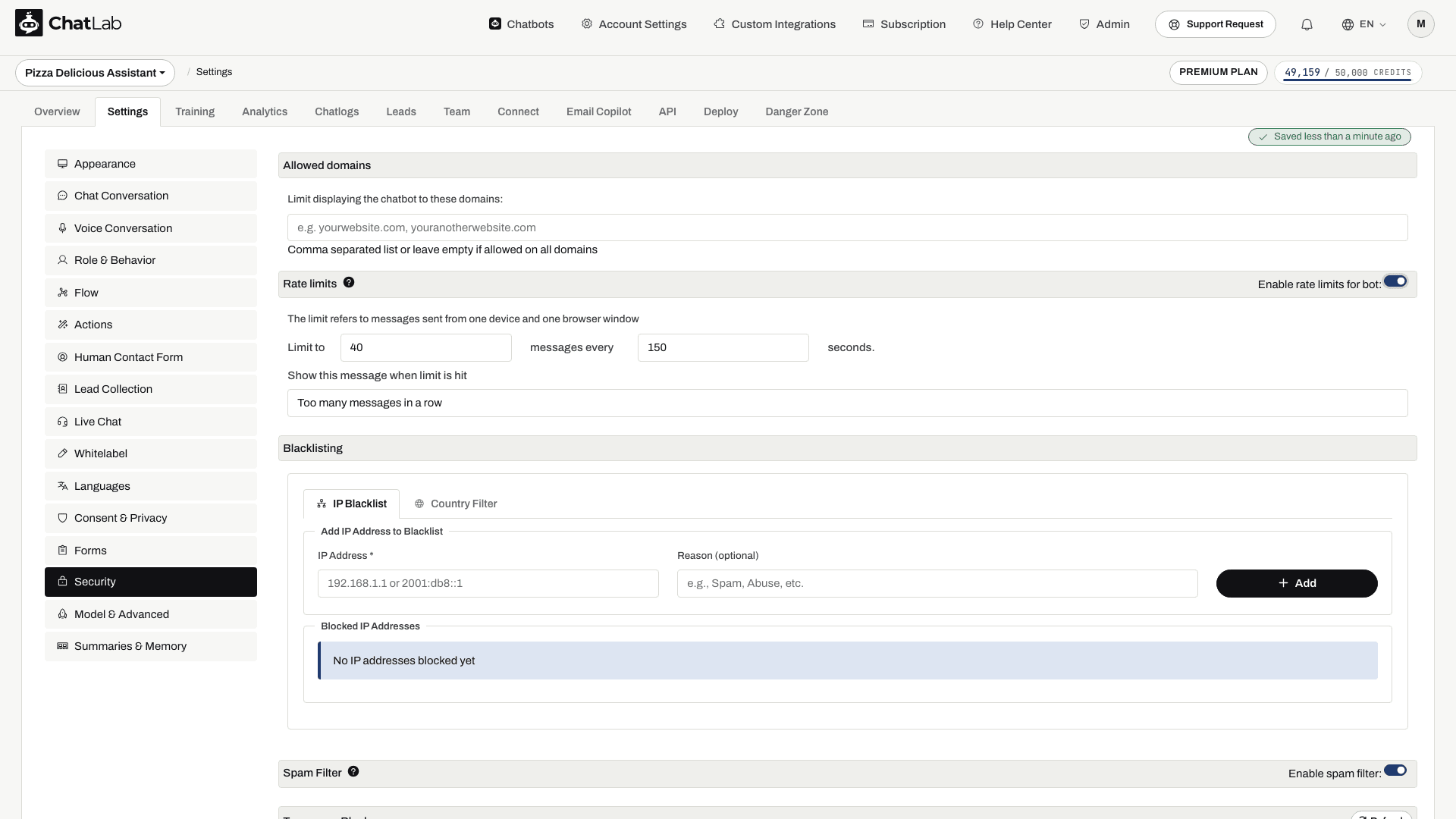
- Wait for the save confirmation, reopen Settings > Security to verify the values, and test a conversation to confirm your limit message appears when the configured allowance is used.
Options Explained
-
Limit to ... messages every ... seconds: The maximum number of messages one chat session can send within the time window. When the window passes, the visitor's full message allowance is restored. ChatLab's recommended setting is 40 messages every 150 seconds - a starting point you can adjust after testing your conversation flow.
-
Show this message when limit is hit: The text the chatbot displays instead of an answer when the limit is exceeded. Defaults to "Too many messages in a row".
To turn this session limit off, switch the toggle off and confirm Yes. This clears its configured values after saving. IP blocks, the spam filter, API-key limits, and monthly credit limits remain separate protections.
How It Looks to the Visitor
When a visitor exceeds the limit, the chatbot replies with your limit message instead of an answer. Messages sent while the limit is active do not use your message credits.
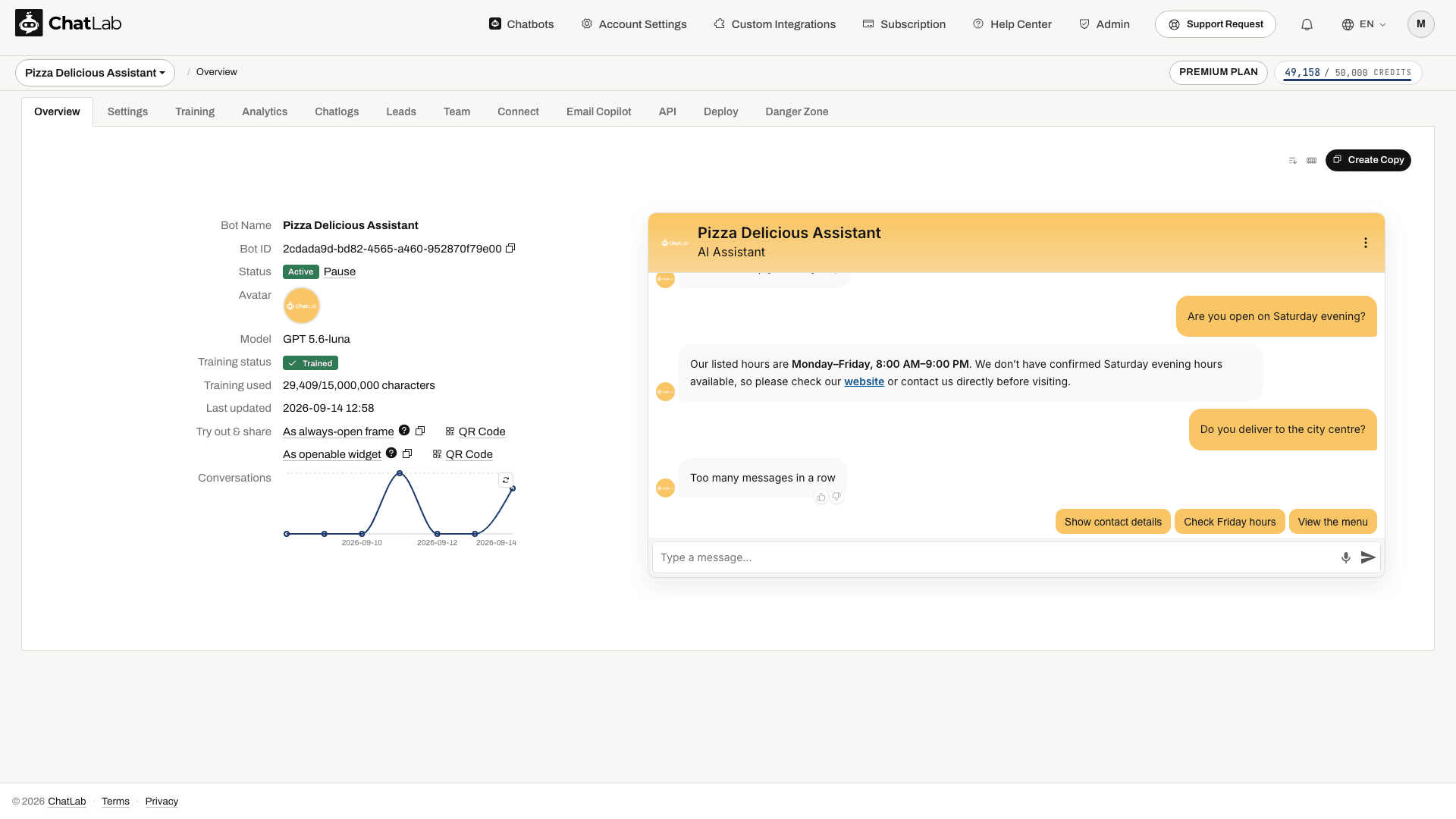
Once the time period passes, the chatbot responds normally again - the visitor does not need to refresh the page.
Related Protections
Rate limits are one of several tools on the Security page. You can also restrict the domains where your chatbot appears, block specific IP addresses or countries, and enable the automatic spam filter - see Security Settings for the full overview.
To cap how many message credits a single chatbot can spend per month, use the Bot message credit limit setting in Settings > Model & Advanced.