Spring & Summer 2026: The Biggest ChatLab Update Yet


SPRING & SUMMER 2026 UPDATES
It has been four months since our last update, and this has been ChatLab's biggest stretch of shipping yet. Since March, chatbots have learned to detect the visitor's language and answer from your source materials in that same language, gained a form builder for collecting truly custom customer data - file uploads, photos, receipts and more - picked up a visual flow editor to script multi-stage conversations, and started holding real voice conversations across three AI voice providers, even answering a real phone line. On top of that: a public API to talk to and manage your bots from outside the dashboard, seven new AI models, a redesigned bot creation wizard, a much bigger free plan, and more than a dozen new e-commerce and hospitality integrations. Grab a coffee - here is everything, in one place.
Multilingual Chatbots 🔥🔥🔥
Bots now automatically detect the visitor's language and reply in it, and the whole experience follows, not just the reply. Knowledge retrieval is language-aware: ChatLab detects the language of your source materials and routes each visitor to the matching content, so an English question is answered from your English materials and a French one from your French materials. You can set a fallback language, so when knowledge is missing in the visitor's language the bot still answers from another instead of coming up empty. And everything around the answer is translated too: the welcome message, suggested questions, custom forms, and links all appear in the visitor's own language, with a switcher so they can change it on the fly. (Settings > Languages)
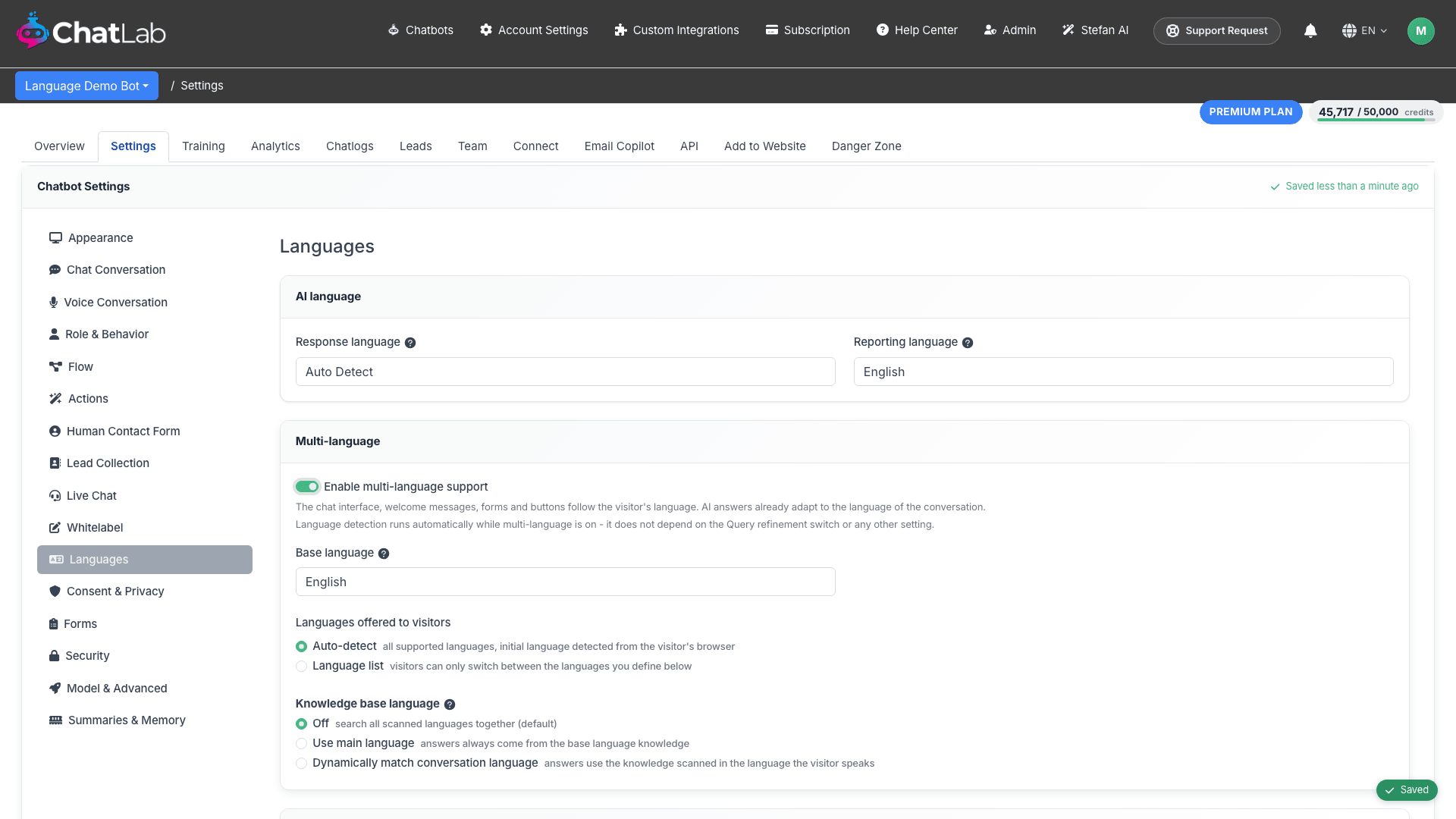
Translations are AI-generated automatically, and you can review and override any of them per language.
Custom Forms 🔥🔥🔥
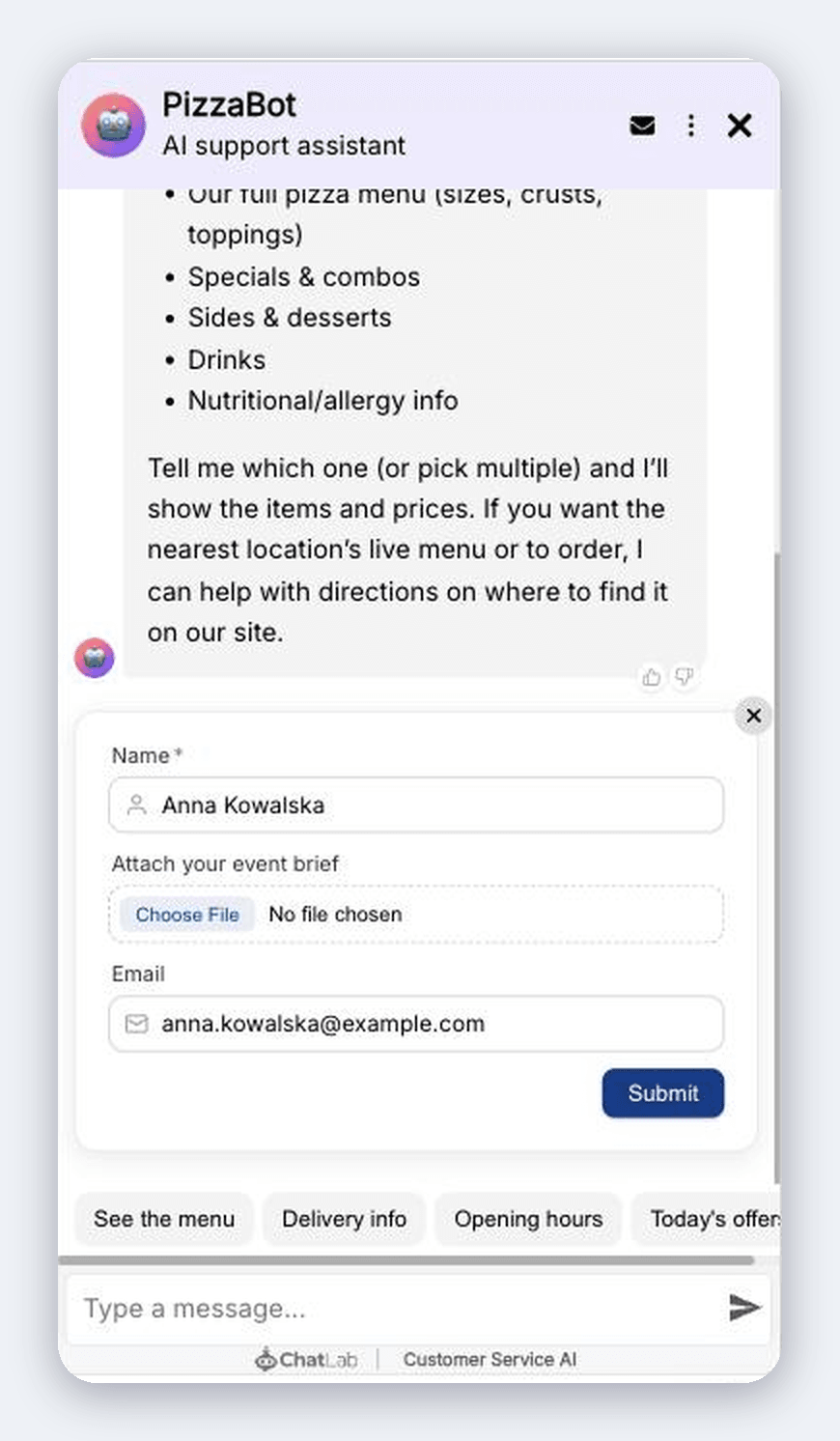
Build fully custom forms to collect exactly the data you need about a customer, far beyond a name and email. Add multiple-choice questions, dropdowns, date and time pickers, and file uploads, and split it all across multiple steps. Attach a form to lead collection or to the human-contact handoff so the answers land right on the lead. A standout use case: in a returns or complaint flow, ask the visitor to upload the receipt, or photos of the damaged product, right inside the chat. Everything is filled out without leaving the conversation, forms can trigger AI actions like sending an email on submit, and they are automatically translated when Multilingual Chatbots is enabled. (Settings > Forms)
Conversation Flow Editor 🔥🔥
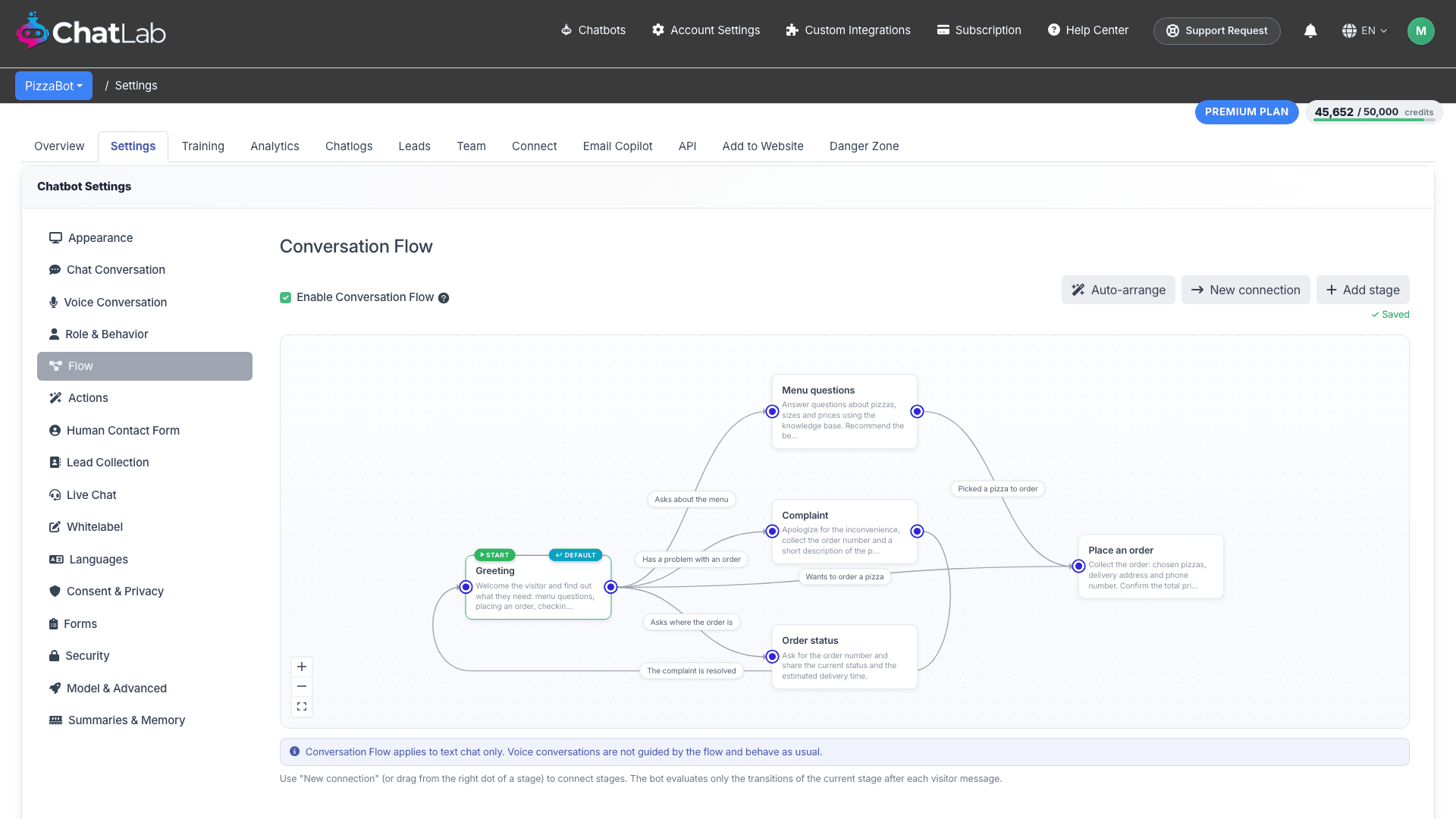
A visual node-graph editor lets you guide chatbots through multi-stage conversations - greet, ask about the menu, handle a complaint, check an order status - by connecting stages with named transitions. The active stage now shows as a badge on chat messages, so you can see exactly where a conversation is at a glance. (Settings > Flow)
Voice Conversations 🔥
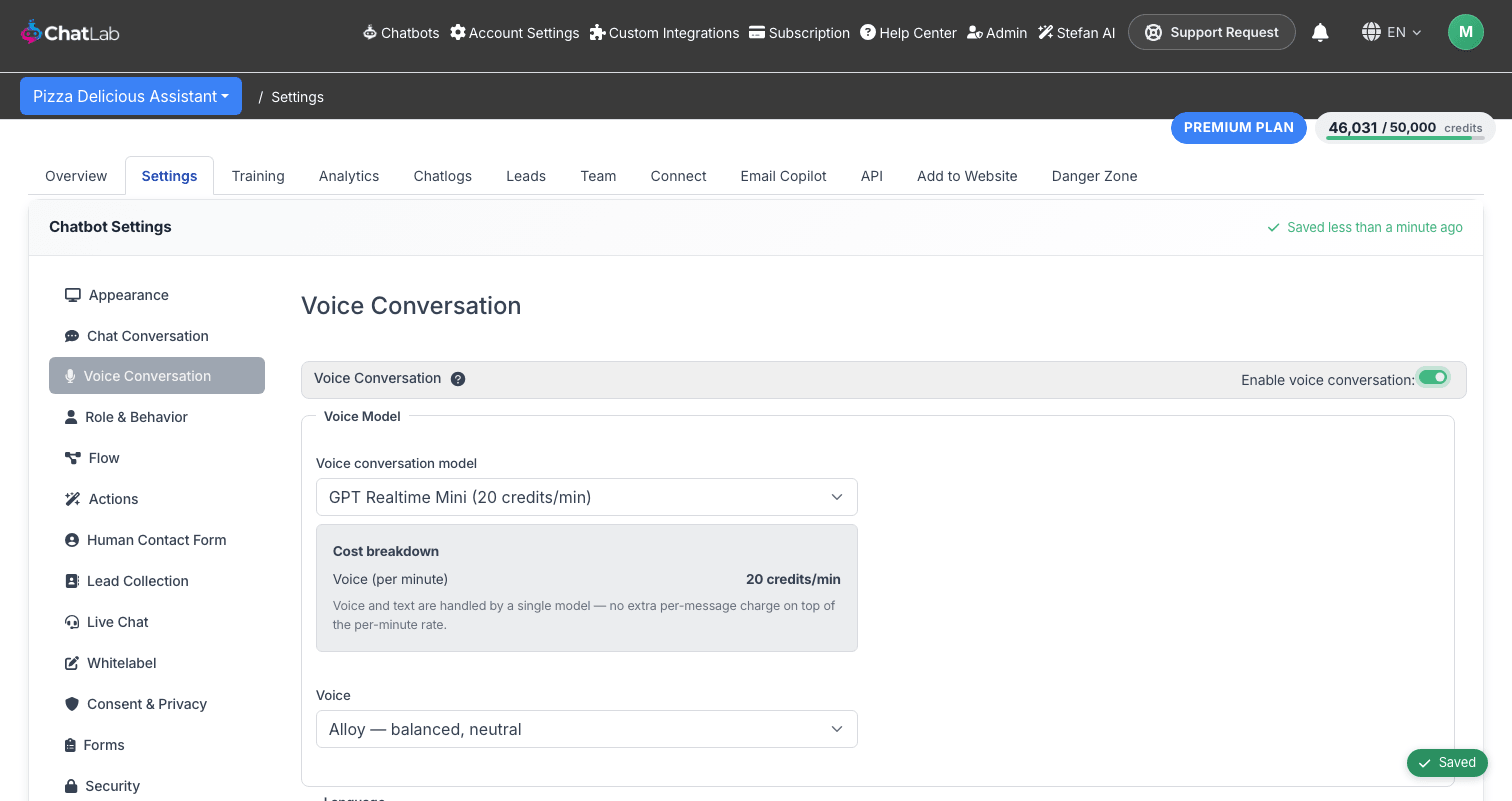
Choose from voice models across three providers, OpenAI Realtime, Gemini Live, and ElevenLabs, for real spoken conversations with visitors. Bots can now end a call themselves when the conversation is finished, and an on-screen overlay shows during an active call. (Settings > Voice Conversation)
AI Voice Assistant on Your Phone Line 🔥
This is the big one for voice: with the new Voice Phone Slot add-on you can put your AI assistant on a real phone number, so customers just call and talk to your bot out loud. It answers with the same voice, knowledge, and actions you already configured for the chat widget, turning your chatbot into a 24/7 phone assistant that never puts anyone on hold. (Subscription > Add-ons)
New AI Models
Claude Opus 4.8, Sonnet 5, and Haiku 4.5 join GPT 5.6, GPT 5.5, GPT 5.4, and Gemini 3.5 Flash as new model options for chatbot responses, giving you more choices for balancing answer quality, speed, and cost. (Settings > Model & Advanced)
Bigger Free Plan
The free plan now includes 100 credits, 50 training links, 1M characters of training data, lead collection, and human contact, enough to fully evaluate ChatLab before upgrading to a paid plan. (Pricing page)
Prompt Optimizer
A new "Optimize prompt" button rewrites your bot's custom role instructions for clarity and token efficiency with one click, so a prompt that has grown long and repetitive over time gets tightened up automatically. (Settings > Role & Behavior)
Bot Talk API & Management API
A public REST API lets you chat with a bot and manage its configuration, create, read, and update bots, from outside the admin interface, secured with typed API keys, granular permissions, and per-key rate limits. Build your own integrations or automate bot management at scale without touching the dashboard. (Select Bot > API, Account Settings > Management API)
Bot Wizard v2
The bot creation wizard has been redesigned with a new multi-source start screen, a reworked file-upload step, and a step that automatically detects your e-commerce platform so training starts from the right place. (Chatbots > New Chatbot)
Welcome Screen 🔥
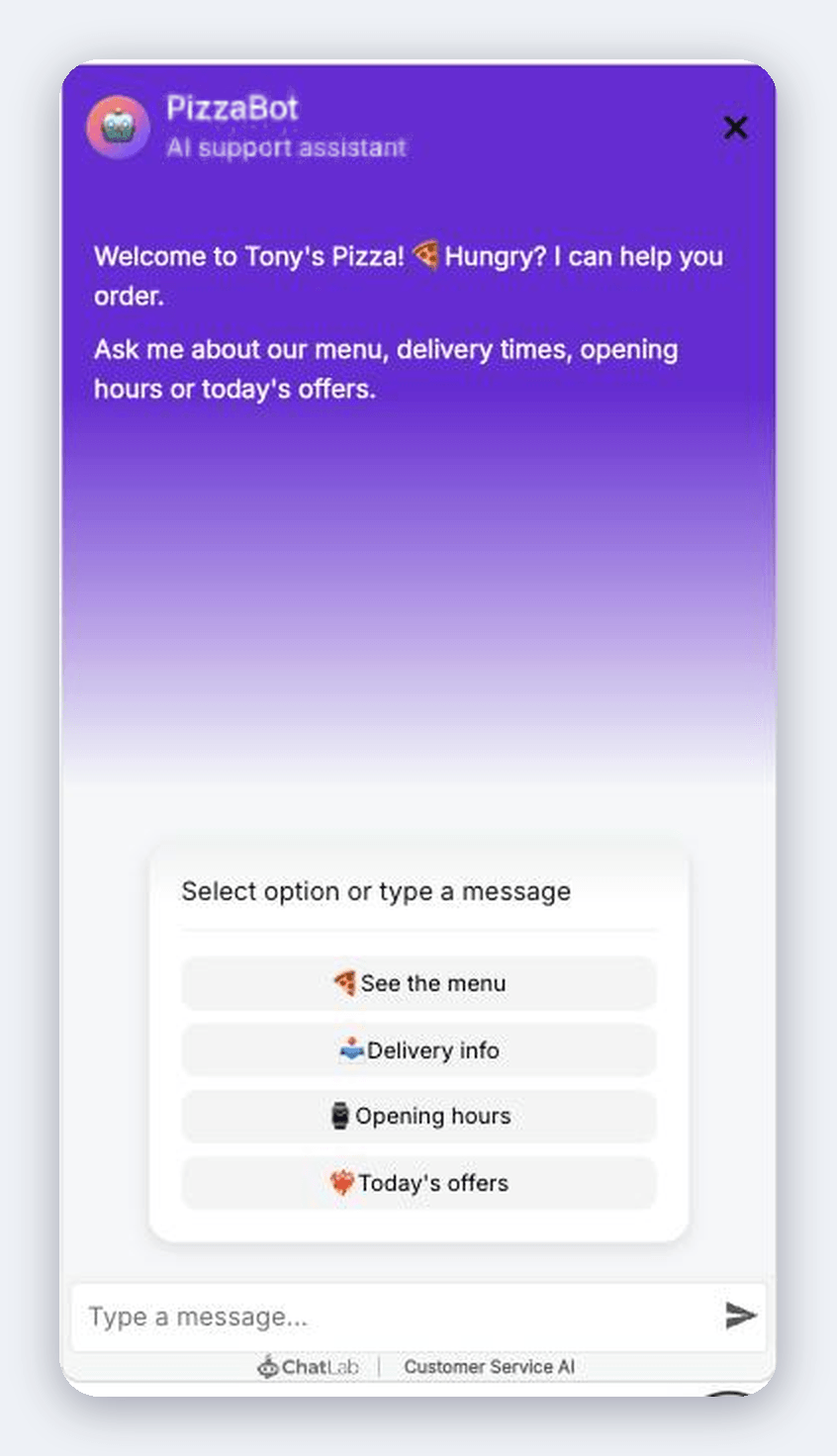
An optional full-screen greeting for the chat widget with suggested questions; consent and lead-collection forms now render inside the welcome screen instead of appearing in the message stream. (Settings > Appearance)
Chat Widget Size Controls
Desktop width and height sliders plus a separate mobile size slider in Appearance settings, each with a reset-to-default button, and a "Save & Preview" button to see the widget at its new size before publishing. (Settings > Appearance)
QR Code Sharing
Bot share links, both the always-open frame and the openable widget, now include a downloadable QR code for easy in-person or print sharing. (Select Bot > Overview)
Full-Screen Prompt Editor
The custom role and prompt editor can now be expanded to full screen with a clear saved indicator, making it easier to write and review longer sets of instructions. (Settings > Role & Behavior)
E-commerce and hospitality integrations
Shopify: Add to Cart
Bots can add products directly to a visitor's Shopify cart during the conversation, turning product recommendations into completed carts without leaving the chat. (Connect > Shopify)
Order Lookup Without Email
Visitors can look up their Shopify or WooCommerce order status without providing an email address, removing a common point of friction for order questions. (Connect > Shopify, Connect > WooCommerce)
WooCommerce Live Stock
Bots can report live stock quantity and availability for WooCommerce products directly in the conversation. (Connect > WooCommerce)
Shoper Onboarding & AI Search
A new onboarding flow for the Shoper platform, with AI-powered product search, indexable product codes, and live stock visibility. (Connect > E-commerce)
PrestaShop Plugin Connect
Direct plugin-based connection to PrestaShop, with multi-shop support and SKU/reference search. (Connect > E-commerce)
Mews Hotel Integration
New property-management-system integration with webhook support and automatic website detection, for hotels running on Mews. (Connect > Hotel & Booking)
Previo Hotel Integration
New property-management-system integration for checking room availability in real time. (Connect > Hotel & Booking)
Hostfully Integration
New integration for vacation rental and property managers running Hostfully. (Connect > Hotel & Booking)
KWHotel Multi-Hotel Support
KWHotel now supports multiple hotel objects per bot, plus a guests parameter and deduplicated availability offers for cleaner results. (Connect > Hotel & Booking)
That is everything since March, and there is already more in the works for the rest of the year. Thank you for building with ChatLab - your feedback shapes most of what is on this list.
Happy chatting!


