AI Helpdesk: every customer request in one place, from the first chatbot answer to the last reply


Most support teams work in three or four places at once: the shared mailbox, the live chat window, a list of leads, and somebody's memory of who promised to call back. Requests slip through the gaps between those places, and nobody notices until the customer writes again, annoyed.
ChatLab now closes those gaps. The chatbot that already answers your visitors around the clock is joined by an AI Helpdesk: one Inbox where every request that needs a person becomes a ticket, with AI that sorts, tags, translates and drafts replies, all built on the same knowledge base your chatbot already uses.
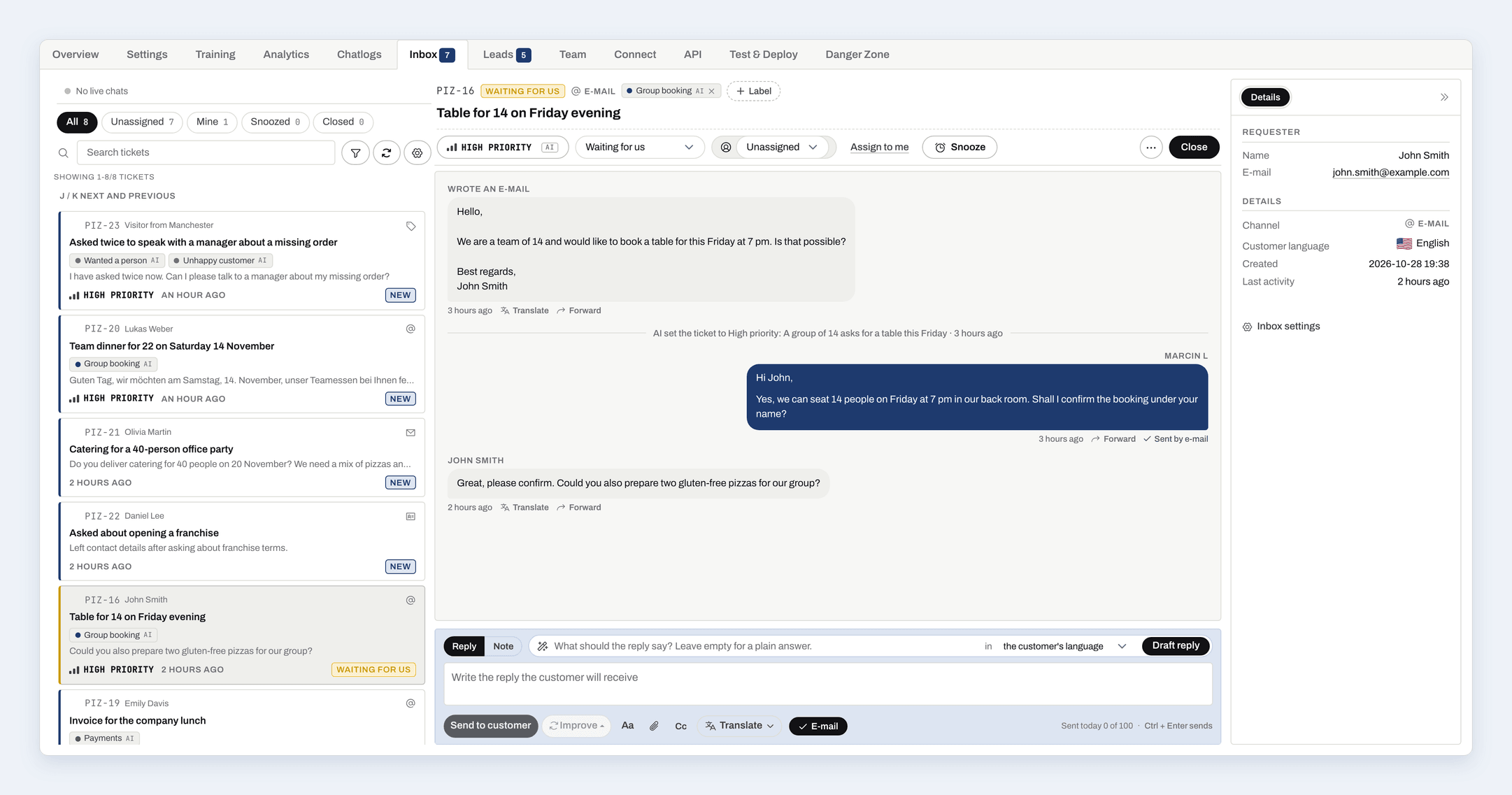
One knowledge base, one place for every request
Your chatbot answers routine questions on its own. When something needs a person, it does not disappear into a separate tool. It lands in the Inbox as a ticket, automatically:
- E-mails from your connected support mailbox. Every incoming e-mail becomes a ticket and your reply goes out from the same address, in the same thread.
- Contact forms a visitor sends from the chat widget.
- Leads - every set of contact details a visitor leaves.
- Missed live chats, when a visitor asked for a person and nobody joined in time.
- Running live chats, shown in a Live now section at the top of the Inbox.
- Conversations that AI tagged as needing attention, for example a complaint or a visitor who wanted a person (more about tags below).
Conversations from the website widget, WhatsApp, Messenger and Instagram all end up in Chat Logs, where AI tags them the same way, so a chosen tag turns any of them into a ticket.
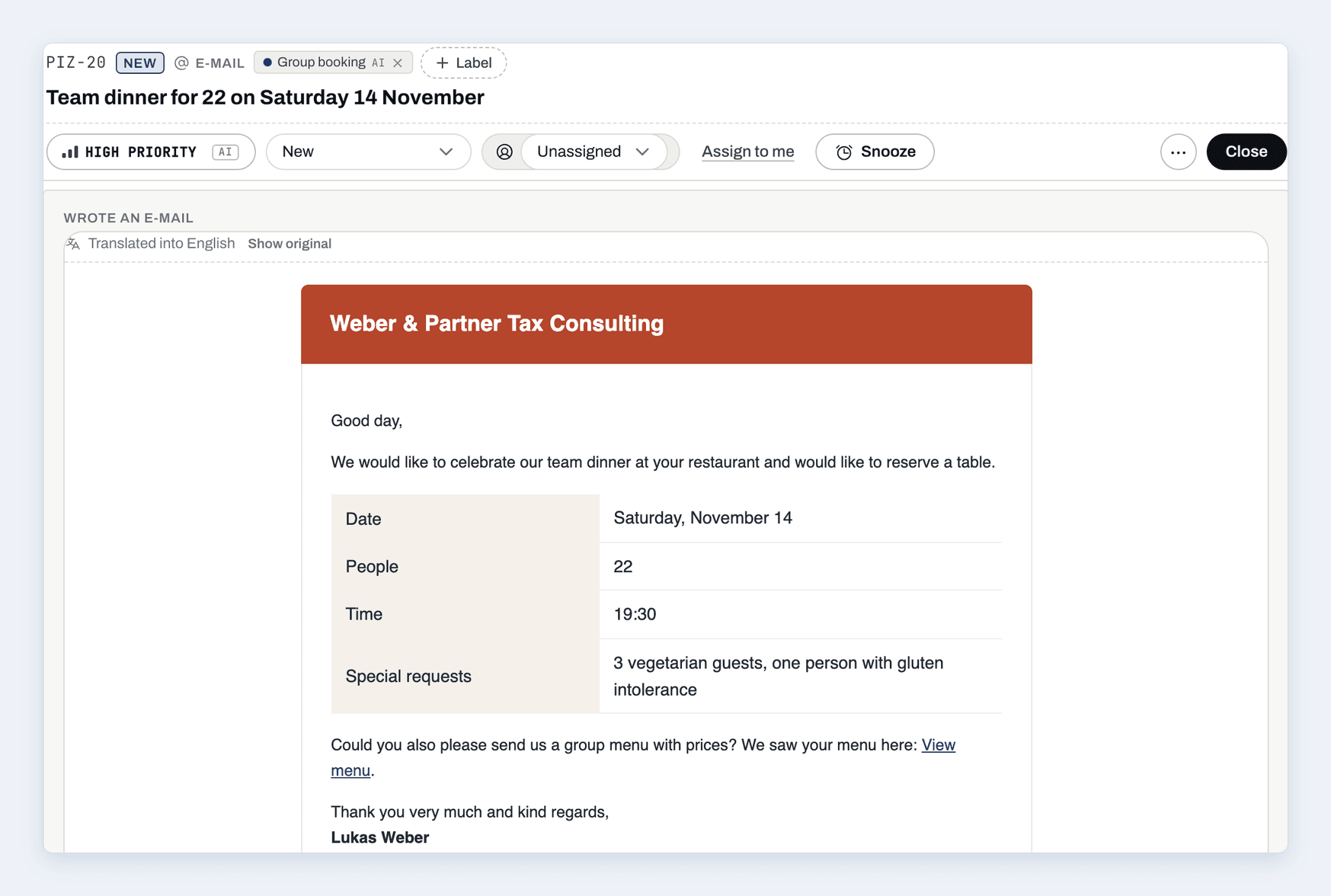
Each ticket has a code, a status, an assignee, internal notes with @mentions and its full history, including what the visitor discussed with the chatbot before asking for help. Your team no longer asks the customer to repeat themselves.
AI does the sorting before anybody opens the ticket
When a request arrives, AI has already done the first round of work, without using your message credits:
- A title that says in one sentence what the customer wants, written in your team's language.
- A priority - Urgent, High, Normal or Low - with a one-line reason, so the urgent complaint is not buried under newsletters.
- Labels that fit the request, from the ready-made ones and the ones you describe yourself.
- The customer's language, recognised from what they wrote.
- Spam, closed automatically if you switch that on.
The result is a queue that is already in order. Your team starts with what matters instead of reading everything to find it.
Conversation tags: spot problems before customers complain
Not every conversation that needs attention ends with the visitor asking for help. Some just end quietly with a wrong impression. Conversation tags catch them.
When a conversation goes quiet, AI reads it and adds the tags that fit:
- The chatbot did not know - the answer was missing from its knowledge. Your to-do list for training.
- Wanted a person - the visitor asked for a human and nobody took over.
- Unhappy customer - frustration, repeated questions, strong words.
- Complaint or order problem - an order, delivery, booking or payment that went wrong, or a refund request.
You can add your own tags with a short rule ("the customer asks for a VAT invoice"), filter Chat Logs by any tag, and switch on Open a ticket for the tags that need a person. From then on, every conversation that gets such a tag becomes a ticket on its own, labelled with the tag, so you see straight away why it was opened.
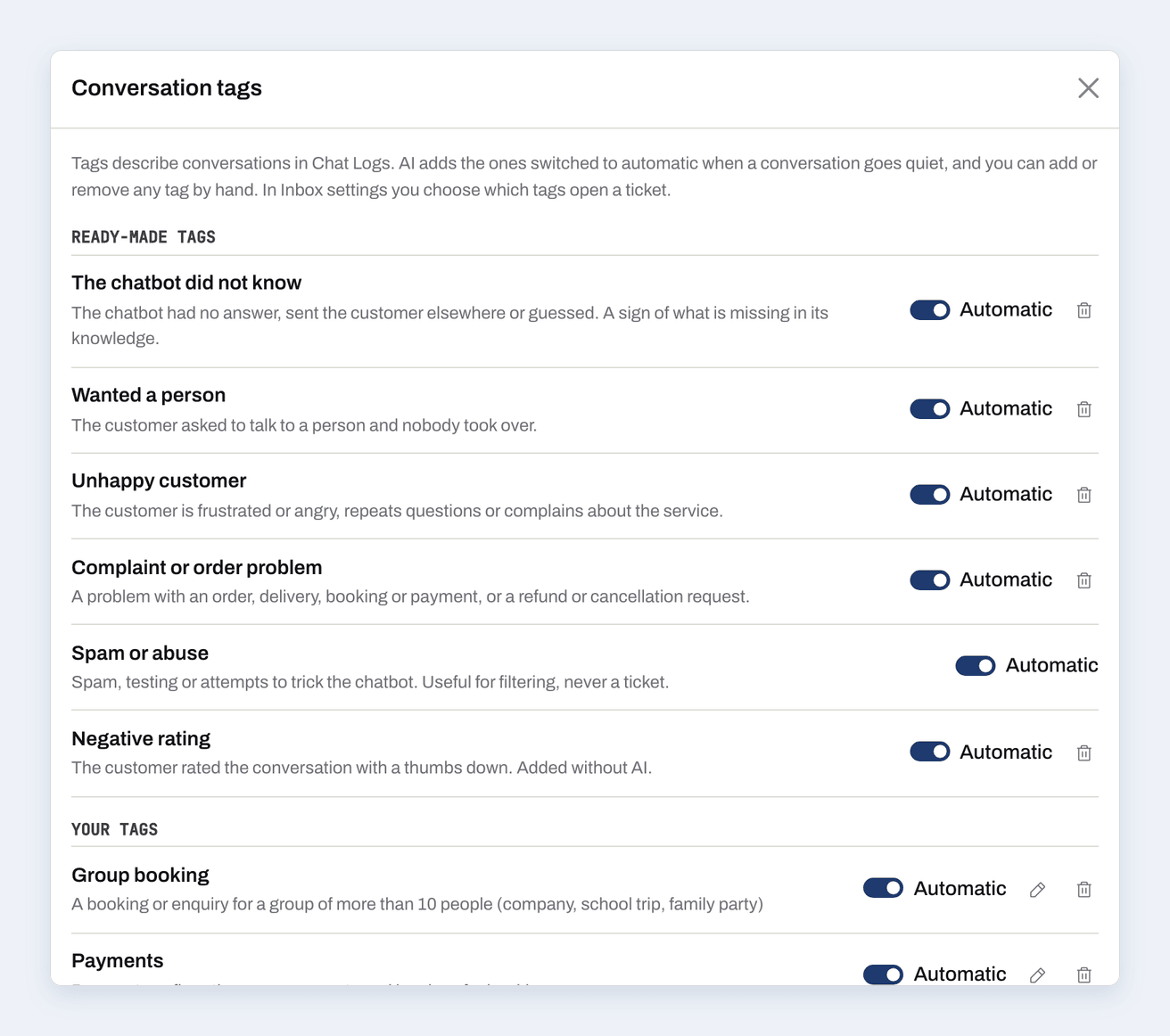
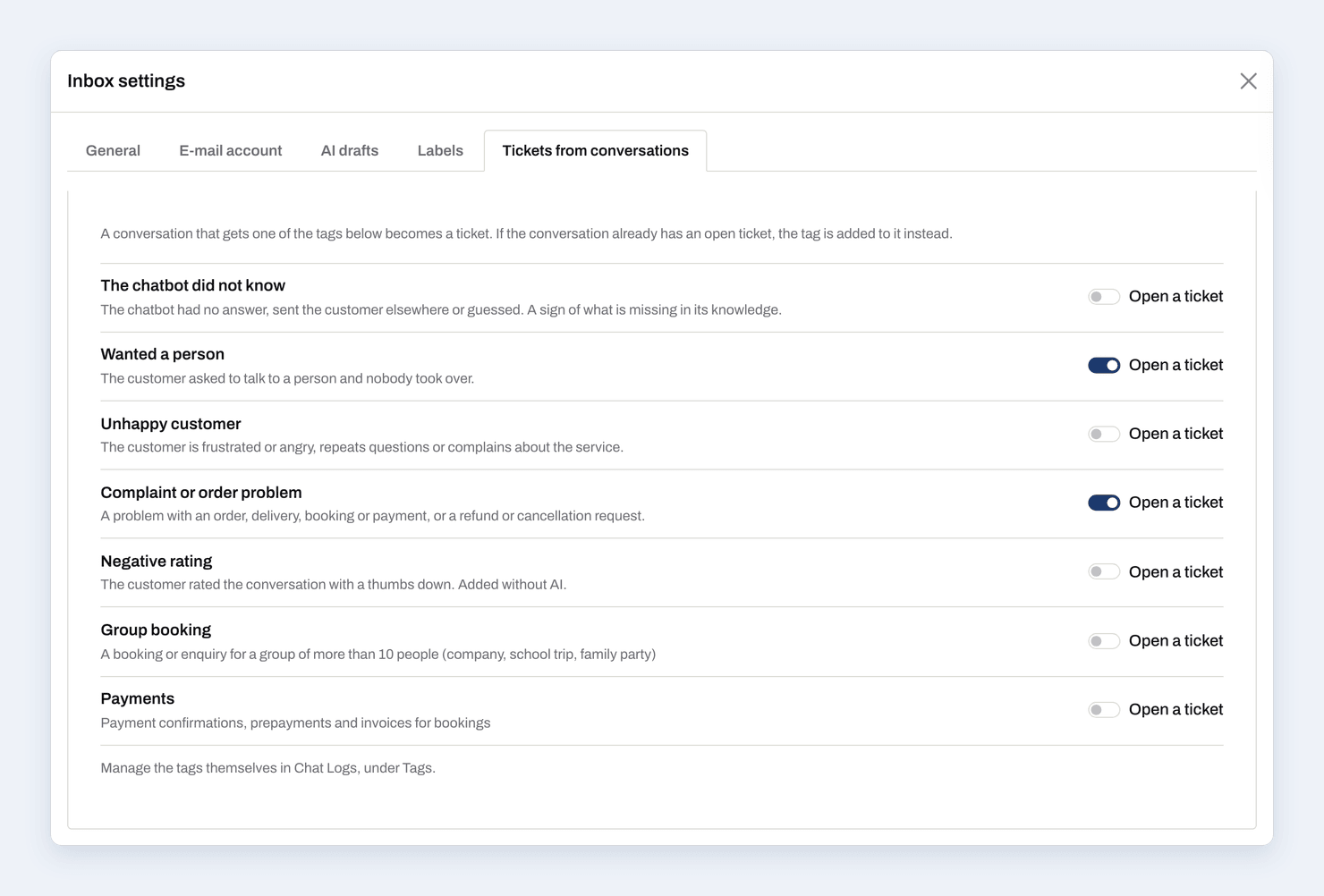
This is where looking after the chatbot and looking after customers meet. The same tags that bring an angry customer to your Inbox show you which questions the chatbot cannot answer yet.
Step into any conversation and talk live
When a visitor is on your site right now, you can join their conversation from Chat Logs with one click, or simply reply from the Inbox. A live chat opens, the chatbot goes quiet, and you talk directly. Your name appears above your messages, so the visitor knows a person is writing. This works even if you do not let visitors request a person themselves.
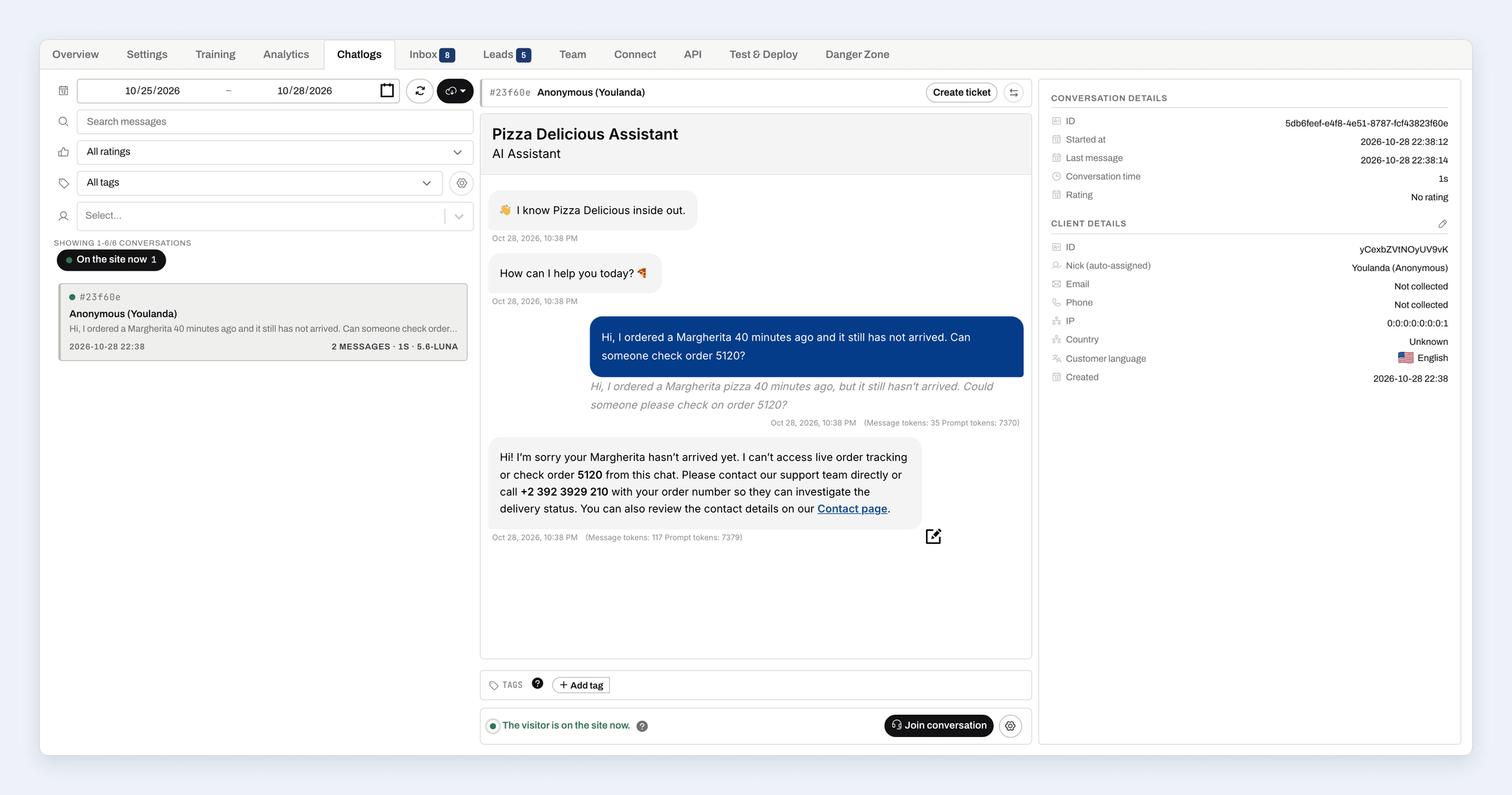
If the visitor has already left, you can leave a message that waits in their chat window for when they come back, and the Inbox tells you when they have seen it.
Read and reply in every language
Your customers write in their language. Your team reads in its own. ChatLab bridges the two:
- Translate a conversation in Chat Logs into your team's language with one click.
- Translate an e-mail in place - the layout, the images and the links stay, only the text changes. Show the original whenever you need it.
- Translate your reply before you send it. When the customer writes in another language, the reply box suggests theirs on its own.
A translation is saved for the whole team, so the same message is never paid for twice.
Replies drafted from your own knowledge
Draft reply writes an answer from the ticket, the conversation and your chatbot's knowledge base, in the customer's language. You read it, adjust it and send it yourself. Improve rephrases what you wrote, makes it more formal or friendlier, or fixes spelling. Nothing written by AI is ever sent without a person.
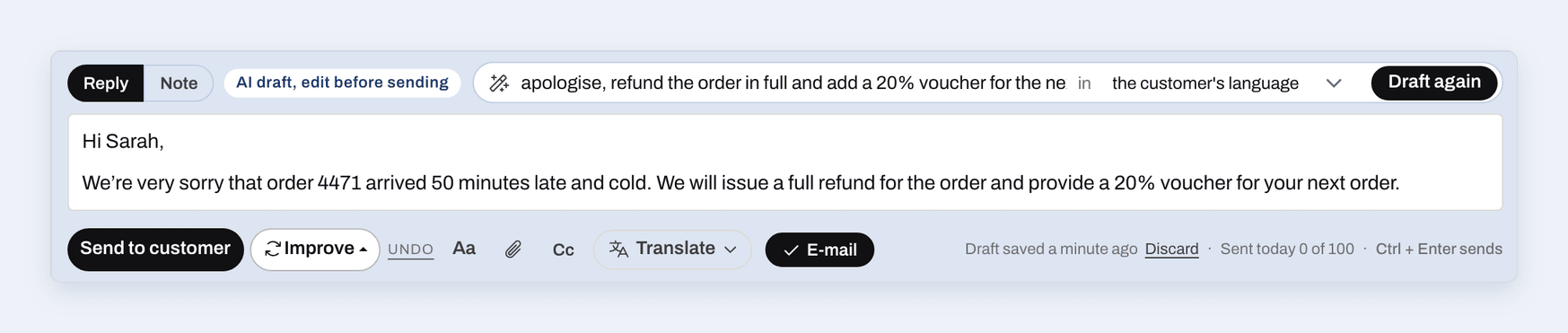
AI drafts, Improve and translations use message credits like one chatbot reply on the model you choose for the Inbox. Everything AI does in the background - titles, tags, priority, language detection - is free.
Coming from Email Copilot
Email Copilot is now part of the Inbox. Your mailbox, its settings and your instructions moved over, incoming e-mails become tickets, and AI drafts replace Copilot suggestions. Nothing needs to be set up again.
What it means for your team
The AI Helpdesk does not replace your team. It gives it focus:
- One place for e-mails, forms, leads, live chats and flagged conversations.
- Problems found automatically - complaints, missing answers, visitors who wanted a person - instead of waiting for a customer to write again.
- The language barrier removed for reading and for replying.
- The chatbot and the customers looked after from the same screen, with the same knowledge behind both.
The Inbox and conversation tags are available on every ChatLab plan. Open your chatbot and click Inbox to start, or read the Inbox guide and the conversation tags guide for the details.


